Compliance That Fits Xero Users.
Xero Data Across the Uganda Fiscal Workflow
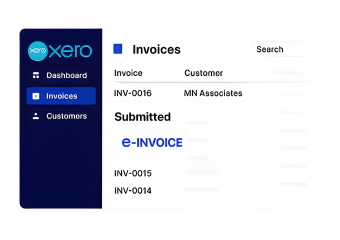
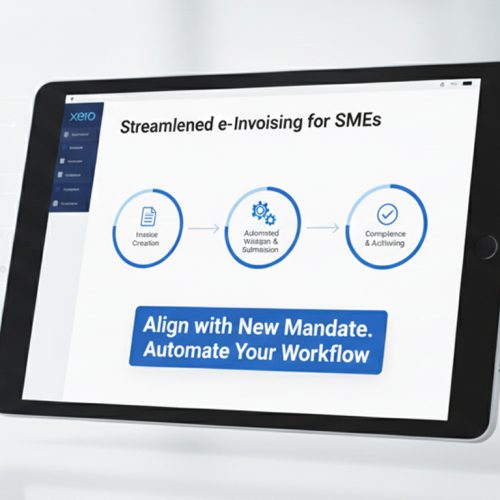
- Billing Activity Identification: Relevant Xero invoices, customer information, line items, amounts, dates, and applicable transaction details are identified for connected processing.
- Transaction Review: Selected billing information can be checked for completeness and consistency before it proceeds toward Uganda’s fiscal invoicing environment.
- Data Structure Alignment: Applicable Xero fields are organized into suitable structures so relevant accounting information can participate in the connected EFRIS workflow.
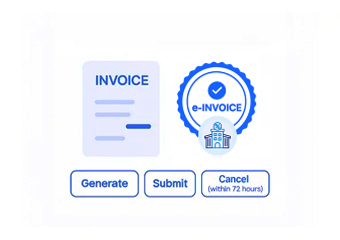
- Fiscal Document Preparation: Validated transaction information is prepared for exchange through the integration layer supporting Uganda e-invoicing requirements.
- EFRIS Transaction Exchange: Prepared information can be transmitted through a system-to-system connection, consistent with URA’s EFRIS approach for computerized business systems.
- Response Record Handling: Relevant processing responses can return through the connected workflow, giving finance teams information for transaction review and subsequent accounting activities.
The Advintek Layer for Xero
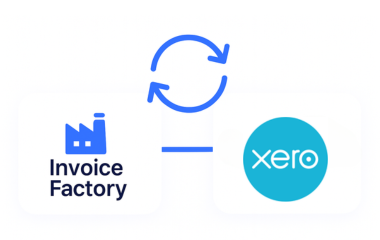
Xero provides invoicing, customer billing, recurring invoices, group invoicing, credit notes, and related sales-management capabilities. Advintek adds an integration layer for connecting applicable Xero information with Uganda’s EFRIS environment.
- Organizes Xero billing information for fiscal processing
- Coordinates customer and invoice details across systems
- Supports validation before connected transaction exchange
- Provides visibility into relevant processing responses
Business Benefits Around Xero Billing
- Familiar Customer Invoicing: Businesses can continue using Xero for customer billing while relevant invoice information participates in a dedicated Uganda e-invoicing workflow.
- Consistent Billing Information: Customer, product, service, invoice, and transaction details can be organized consistently before applicable information enters fiscal processing.
- Efficient Repeat Billing: Recurring and group invoicing capabilities in Xero can support established billing routines while applicable transaction information moves through the connected compliance workflow.
- Clear Adjustment Records: Credit-note activity can retain context around customer billing changes, helping teams review adjustments alongside related invoice information.
- Better Transaction Awareness: Connected processing information gives finance teams additional visibility when reviewing submitted invoices, responses, exceptions, and completed fiscal transactions.
- Uganda EFRIS Alignment: Advintek provides an integration approach for connecting relevant Xero billing activity with the Uganda Revenue Authority’s EFRIS environment.
Everything You Need for Uganda E-Invoicing in One Place
Issue Monitoring and Resolution Flow
Relevant Xero information can be reviewed before processing to identify missing or inconsistent details that may require attention.
Operational Visibility and Insights
Processing responses and transaction issues can be surfaced for finance teams, helping them investigate records requiring correction or follow-up.
Continuous Support and Compliance Assistance
Connected invoice information can provide additional context for reviewing fiscal activity alongside established Xero accounting and customer records.
Xero E-Invoicing for Uganda Businesses
Xero is suited to businesses managing customer invoices, recurring billing, contact groups, credit notes, and day-to-day accounting activity. Advintek can provide the connection layer needed to relate applicable Xero billing activity with Uganda’s EFRIS workflow.
- Customer billing remains within Xero
- Recurring invoices retain established billing routines
- Credit adjustments stay linked with transactions
- Fiscal activity gains additional review context
Automate Billing for Businesses
Advintek connects relevant Xero billing information with Uganda’s EFRIS workflow for structured invoice processing.
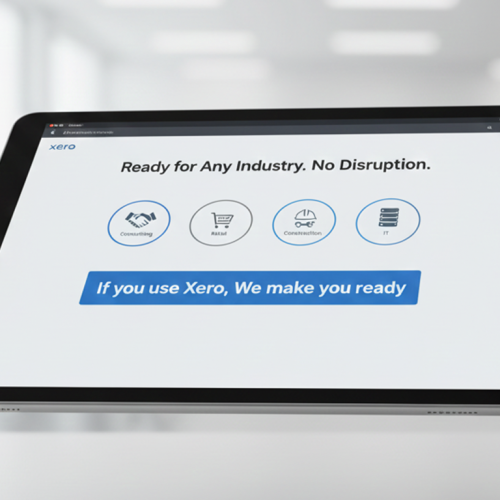
Xero for accounting. Advintek for Uganda EFRIS connectivity.
Ready e-Invoice System
Frequently Asked Questions Xero e-Invoicing Uganda
Why does Xero invoice status matter for Uganda processing?
Invoice status can help distinguish draft, approved, sent, and settled records within Xero. This provides useful context when identifying invoices that may require further fiscal processing through the Uganda workflow.
When should Xero invoice amendments enter the Uganda workflow?
Applicable invoice changes should be reflected before the relevant record undergoes fiscal processing. Reviewing amended details in Xero first can help ensure the information entering the Uganda workflow reflects the latest transaction version.
Which Xero records provide useful context for customer invoices?
Customer contacts, invoice details, item information, tax settings, and account classifications can provide supporting context around Xero billing activity. Relevant information can then accompany applicable records through the connected Uganda processing workflow.
Where does Xero item information fit into Uganda invoicing?
Xero item records can contain descriptions, sales details, account assignments, and tax information used during invoice creation. Applicable item-level information can contribute to the structured invoice data prepared for Uganda fiscal processing.
Why does Xero invoice numbering matter for transaction records?
Invoice numbers provide identifiable references for individual billing transactions within Xero. Retaining these references can support clearer record identification and reconciliation when applicable invoices progress through the Uganda e-invoicing workflow.