Compliance That Fits Microsoft Dynamics 365 Field Service Users
How Does Microsoft Dynamics 365 Field Service Data Reach URA
- Review Completed Work: Relevant work orders, service activities, and completed field assignments are identified for applicable billing processes.
- Confirm Customer Information: Account, contact, service, and commercial details are checked before invoice information enters fiscal preparation.
- Compile Billable Details: Applicable labor, products, parts, and service information are organized into structured transaction data.
- Prepare Fiscal Information: Advintek converts relevant Field Service billing information into data suitable for Uganda’s EFRIS workflow.
- Process EFRIS Submission: Prepared transaction information moves through the applicable Uganda Revenue Authority fiscal processing workflow.
- Record Fiscal Results: Returned fiscal information can be associated with the relevant service and invoice records for review.
Why Use Advintek With Microsoft Dynamics 365 Field Service
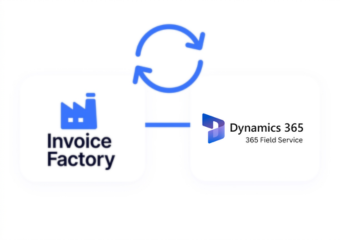
Advintek connects Microsoft Dynamics 365 Field Service with Uganda’s fiscal invoicing environment, creating a structured route from completed service activities and billing information toward EFRIS processing.
- Connect completed service information with invoicing.
- Prepare applicable billing details for EFRIS.
- Support organized fiscal transaction processing.
- Link fiscal responses with service records.
What Does Microsoft Dynamics 365 Field Service Integration Improve
- Service-To-Invoice Continuity: Completed field activities can provide relevant information for downstream customer billing and fiscal processing workflows.
- Work Order Visibility: Work order details can help teams understand the service activity behind applicable customer invoices and billing records.
- Accurate Charge Preparation: Labor, products, parts, and service information can support more complete and accurate invoice data preparation.
- Customer Context Preservation: Customer and account information remains useful throughout connected service, billing, and invoice processing activities.
- Correction Management: Applicable billing changes can be handled with clear references to the underlying service transaction records.
- Fiscal Processing Visibility: Returned information provides additional context when teams review completed service invoices and related fiscal records.
Complete Control Over Uganda E-Invoicing Workflows in One Platform
Error Detection and Resolution Support
Relevant work order information can become part of a connected Uganda invoicing process.
Dashboard and Reporting
Advintek organizes applicable service billing information before fiscal processing begins.
Dedicated e-Invoicing
Support
Fiscal responses can remain associated with related service and invoice information for later reference.
How Can Microsoft Dynamics 365 Field Service Support Uganda
Advintek connects Microsoft Dynamics 365 Field Service activities with Uganda’s EFRIS workflow, helping businesses prepare service billing data, process applicable invoices, and retain fiscal responses.
- Identify completed work requiring invoicing.
- Organize service details for EFRIS.
- Support applicable fiscal invoice processing.
- Associate responses with service transactions.
Keep Microsoft Dynamics 365 Field Service Operations Compliant
Connect Microsoft Dynamics 365 Field Service with Advintek for structured Uganda e-invoicing workflows.
Turn completed service activities into organized fiscal invoice processing.
Ready e-Invoice System
Frequently Asked Questions Microsoft Dynamics e-Invoicing Uganda
1. Can completed work orders support Uganda e-invoicing?
Completed work orders can provide relevant information for applicable customer billing activities. Through Advintek, qualifying service details can be organized for Uganda’s EFRIS workflow. This helps businesses connect completed field assignments, customer information, service charges, and invoice preparation within a more coordinated fiscal processing process.
2. How can field technicians’ service activities affect invoice preparation?
Service activities recorded within Microsoft Dynamics 365 Field Service can provide useful context for billing after work has been completed. Relevant information can be organized through Advintek for fiscal processing, helping businesses connect field operations with applicable invoice details while maintaining clearer relationships between service records and resulting transactions.
3. Can parts and service charges be included in fiscal invoices?
Applicable parts, products, labor, and service charges can contribute to invoice preparation when they form part of the relevant billing process. Advintek helps organize qualifying Field Service information for EFRIS processing, providing a structured route from service-related transaction details to applicable fiscal invoice information.
4. What happens when a field service invoice needs adjustment?
When applicable service billing requires correction, relevant adjustment or credit information can enter the connected fiscal workflow. Advintek helps organize the revised transaction details while maintaining references to associated service records. This supports clearer handling of billing changes and helps teams review the relationship between field activities and fiscal transactions.
5. Why connect Dynamics 365 Field Service with Advintek in Uganda?
Connecting Field Service with Advintek creates a dedicated route between service operations and Uganda’s fiscal invoicing environment. Businesses can organize completed work, customer information, charges, and invoice details for EFRIS processing, while returned fiscal information can remain associated with relevant service transactions for subsequent review.