Compliance That Fits Microsoft Dynamics Users
Microsoft Dynamics UAE FTA E-Invoicing Complete User Guide
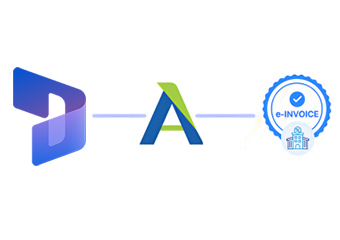
How Does Microsoft Dynamics Connect To Uganda
- Generate Business Transactions: Microsoft Dynamics records customer, product, sales, tax, and financial information across business activities.
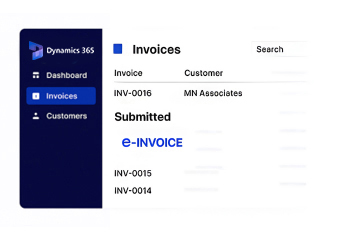
- Complete Invoice Records: Applicable transaction details are consolidated into invoice information within the ERP.
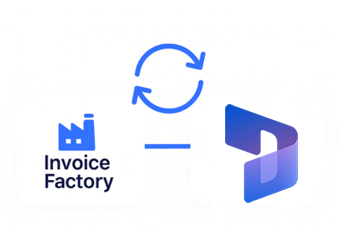
- Extract Relevant Data: Advintek receives required information from Microsoft Dynamics through the configured integration.
- Prepare Fiscal Information: Invoice data is organized according to the connected Uganda electronic invoicing workflow.
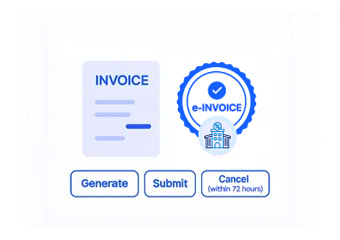
- Process EFRIS Transactions: Advintek routes eligible invoice information through the EFRIS fiscal processing environment.
- Return Fiscal References: Relevant processing responses and fiscal details are made available for connected invoice records.
Why Connect Advintek With Microsoft Dynamics
Advintek adds a dedicated fiscal integration layer to Microsoft Dynamics, connecting ERP-generated invoice information with Uganda EFRIS requirements.
- Extend Dynamics into Uganda e-invoicing.
- Connect ERP records with EFRIS.
- Reduce repeated invoice administration.
- Improve fiscal transaction visibility.
What Microsoft Dynamics Processes Can Support Uganda
- Customer Order Management: Use relevant sales order information from Microsoft Dynamics during electronic invoice preparation and subsequent fiscal processing activities.
- Accounts Receivable Activities: Connect invoice-related financial records with the fiscal processing workflow through Advintek for consistent transaction handling.
- Product And Service Billing: Apply applicable item and service details already maintained within the ERP for accurate invoice preparation.
- Tax Information Coordination: Carry relevant tax details into the configured electronic invoicing process for proper fiscal data preparation.
- Sales Transaction Processing: Connect completed commercial transactions with the appropriate fiscal invoice workflow for structured EFRIS processing.
- Financial Record Continuity: Associate fiscal information with the Dynamics records supporting each processed transaction for ongoing review and reconciliation.
Everything You Need for Uganda E-Invoicing in One Place
Error Detection and Resolution
Connect applicable Microsoft Dynamics sales and financial information with Advintek’s Uganda fiscal processing layer.
Dashboard and Reporting
Structure relevant ERP transaction data for processing through the connected EFRIS workflow and validation.
Dedicated e-Invoicing Support
Receive applicable fiscal information through Advintek for continued invoice and transaction record handling.
Built for Microsoft Dynamics Users In Uganda
Microsoft Dynamics manages core business transactions, while Advintek connects applicable invoice information with Uganda’s EFRIS electronic fiscal invoicing environment.
- Prepare Dynamics invoices for EFRIS.
- Transfer selected transaction data through Advintek.
- Associate fiscal details with invoices.
- Support organized Uganda e-invoicing workflows.
Simplify Uganda EFRIS Invoicing
Connect Microsoft Dynamics with Advintek for fiscal invoice processing across Uganda business operations.
Extend your ERP environment with a dedicated invoicing connection.
Ready e-Invoice System
Frequently Asked Questions Microsoft Dynamics E-Invoicing Uganda
Can Microsoft Dynamics handle invoices from different business departments?
Microsoft Dynamics can centralize transaction information generated across areas such as sales, finance, inventory, and customer operations. Advintek can connect applicable invoice records from these workflows with Uganda EFRIS processing. This gives organizations a unified route for relevant fiscal transactions without creating separate invoicing processes for every department.
How can Dynamics data help create accurate electronic invoices?
Existing Dynamics records can provide important invoice information such as customer details, products or services, quantities, transaction values, and applicable tax information. Advintek connects relevant data with the fiscal workflow, helping businesses avoid unnecessary re-entry and maintain stronger consistency between ERP records and electronic invoices.
Can Microsoft Dynamics remain the main system for business transactions?
Yes. Microsoft Dynamics can continue serving as the primary environment for managing commercial and financial activities. Advintek works alongside the ERP as the fiscal connection layer, allowing relevant invoice information to flow into the Uganda EFRIS process while organizations retain their established Dynamics-based operational workflows.
How can Advintek fit into an existing Dynamics environment?
Advintek can be positioned between Microsoft Dynamics and the fiscal invoicing environment, focusing specifically on the electronic invoice processing requirement. This arrangement allows the ERP to continue handling business transactions while Advintek manages the connection, fiscal data exchange, and relevant responses associated with Uganda EFRIS.
What should businesses consider before connecting Dynamics with EFRIS?
Organizations should review which Dynamics transactions require fiscal processing, identify the invoice fields involved, and define how responses should be handled within their workflows. A properly configured Advintek integration can then connect relevant records with EFRIS while supporting the organization’s existing finance and operational processes.