Compliance That Fits AMOS ERP Users
How Can AMOS Simplify EFRIS Processing
- Select Relevant Transactions: Applicable AMOS invoices, credit notes, and adjustments are identified from established billing and transaction activity.
- Verify Invoice Information: Customer, item, tax, and billing details are reviewed to support complete and accurate fiscal preparation.
- Arrange Transaction Data: Relevant AMOS transaction information is organized according to the connected Uganda fiscal workflow and processing requirements.
- Prepare EFRIS Records: Advintek structures applicable billing information for processing through Uganda’s EFRIS environment and related fiscal requirements.
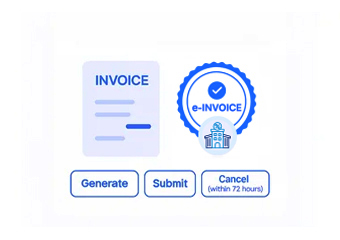
- Submit Fiscal Information: Prepared transaction data proceeds through the applicable Uganda Revenue Authority workflow for fiscal processing and validation.
- Match Fiscal Responses: Returned fiscal information can be associated with corresponding AMOS transactions for easier reference and subsequent finance review.
Why Should AMOS Use Advintek
Advintek creates a structured connection between AMOS transaction activity and Uganda’s EFRIS environment, helping businesses prepare relevant billing information, support fiscal processing, and maintain useful links between ERP records and returned fiscal details.
- Connect AMOS billing activity with Advintek.
- Prepare applicable transactions for EFRIS.
- Support organized fiscal submission processes.
- Link responses with relevant records.
What Can Connected AMOS Invoicing Deliver
- Better Billing Continuity: AMOS transaction information can move into fiscal workflows while supporting established invoicing practices across business operations.
- EFRIS Data Readiness: Advintek helps organize applicable billing details before they enter Uganda’s electronic fiscal processing environment.
- Improved Record Visibility: Relevant invoice and fiscal information can remain connected for finance teams reviewing transaction histories and processing details.
- Broader Billing Support: The workflow can accommodate applicable invoices, adjustments, credit notes, and different customer billing requirements.
- Organized Fiscal Handling: Transaction information follows a defined route from AMOS through Advintek and into the applicable fiscal workflow.
- Simpler Information Tracking: Returned fiscal details can provide useful references alongside originating AMOS transaction records for subsequent review.
Everything You Need for Uganda E-Invoicing in One Place
Real-Time Validation Feedback
Use established AMOS transaction information as part of a connected Uganda fiscal invoicing workflow.
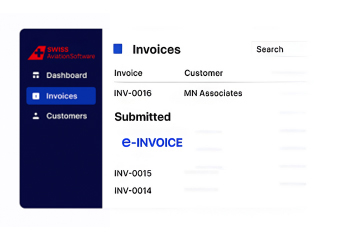
Centralized Operations Dashboard
Advintek structures applicable AMOS billing information for processing through Uganda’s electronic fiscal environment.
Continuous Compliance Support
Fiscal responses can remain associated with relevant transactions to support ongoing finance review.
How Does AMOS Fit Uganda E-Invoicing
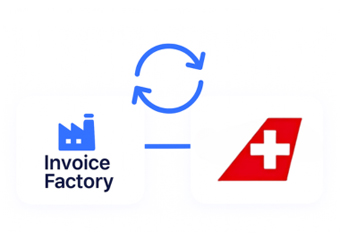
Advintek links AMOS transaction information with Uganda’s EFRIS workflow, helping businesses organize billing data, support fiscal processing, and retain relevant responses alongside corresponding transaction records.
- Identify transactions requiring fiscal processing.
- Prepare billing information for EFRIS.
- Support applicable Uganda fiscal submissions.
- Reference returned details with transactions.
AMOS and Advintek, Connected for Uganda Fiscal Accuracy
Connect AMOS with Advintek for organized Uganda e-invoicing workflows.
Activate your connected fiscal invoicing process today.
Ready e-Invoice System
Frequently Asked Questions AMOS ERP E-Invoicing Uganda
1. What does AMOS contribute to the Uganda e-invoicing workflow?
AMOS provides the underlying operational and billing information used within the connected invoicing process. Relevant transaction details can be passed through Advintek for preparation and EFRIS processing. This allows businesses to connect existing AMOS activities with Uganda’s fiscal invoicing workflow while retaining clearer references to originating transactions.
2. How does Advintek prepare AMOS transactions for EFRIS?
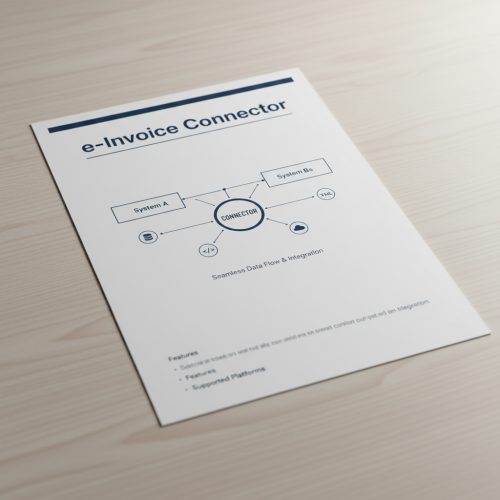
Advintek receives applicable transaction information from AMOS and organizes the relevant details for Uganda’s EFRIS workflow. This can involve invoice, customer, item, and adjustment information. The connector creates a structured route for fiscal processing, helping businesses coordinate ERP-generated billing information with applicable electronic invoicing activities.
3. Can AMOS billing adjustments be included in fiscal processing?
Applicable adjustments originating within AMOS can be handled through the connected fiscal workflow when they meet relevant processing requirements. Advintek helps structure credit notes and billing corrections while maintaining their relationship with associated transaction information. This supports more organized adjustment handling across operational and fiscal invoicing records.
4. How can finance teams review EFRIS information linked to AMOS?
Fiscal information returned through the connected workflow can be associated with the relevant AMOS transaction records. This gives finance teams a clearer reference when checking processed invoices and fiscal responses. Keeping related information connected can make transaction reviews more organized and reduce separation between operational billing and fiscal records.
5. Why connect AMOS to Uganda EFRIS through Advintek?
Connecting AMOS with Advintek provides a structured route between established business billing activities and Uganda’s EFRIS environment. Relevant transactions can be prepared for fiscal processing, while returned information can remain connected with originating records. This helps businesses coordinate ERP invoicing and fiscal activities through one organized workflow.