Compliance Built for Revenue and Sales Workflows
How Can Microsoft Dynamics 365 Sales Feed URA
- Identify Qualifying Sales: Relevant accounts, opportunities, orders, and invoice-related information are identified from established Microsoft Dynamics 365 Sales activities.
- Check Customer Details: Account, contact, product, quantity, and applicable commercial information are reviewed before fiscal data preparation.
- Assemble Billing Information: Relevant sales information is organized into structured transaction data for the connected Uganda invoicing workflow.
- Format EFRIS Transactions: Advintek prepares applicable Dynamics 365 Sales information for processing through Uganda’s EFRIS environment.
- Transmit Fiscal Data: Prepared transaction information proceeds through the applicable Uganda Revenue Authority workflow for fiscal processing and validation.
- Capture Fiscal Responses: Returned fiscal information can be associated with corresponding sales and invoice records for future reference.
Why Connect Microsoft Dynamics 365 Sales Through Advintek?
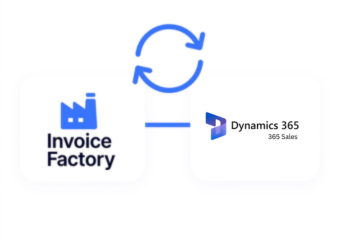
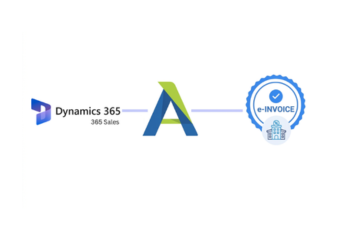
Advintek creates a practical bridge between Microsoft Dynamics 365 Sales and Uganda’s EFRIS environment, helping businesses connect customer and sales information with fiscal invoicing activities.
- Connect sales information with fiscal processing.
- Prepare relevant transaction details for EFRIS.
- Support structured electronic invoice workflows.
- Reference returned fiscal information with records.
What Are Microsoft Dynamics 365 Sales EFRIS Integration Benefits?
- Opportunity-to-Invoice Continuity: Relevant sales details can flow toward fiscal processing while preserving important commercial context.
- Customer Information Alignment: Account and contact records can support accurate customer details within applicable invoice transactions.
- Sales Order Context: Products, quantities, and order information can contribute to structured invoice preparation.
- Transaction Adjustment Support: Credit notes and applicable corrections can remain associated with their originating sales transactions.
- Pre-Submission Transaction Review: Teams can review key sales and billing information before fiscal processing.
- Connected Fiscal Records: Returned fiscal information can provide useful references alongside originating sales and invoice records.
Complete Control Over Uganda E-Invoicing Workflows in One Platform
Error Detection and Resolution Support
Relevant Microsoft Dynamics 365 Sales information can become part of a connected fiscal invoicing workflow.
Dashboard and Reporting
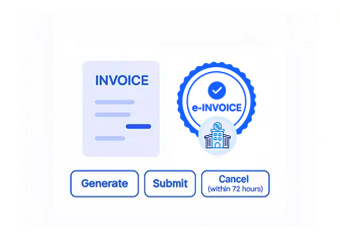
Advintek structures applicable sales and invoice information before it enters Uganda’s electronic fiscal environment.
Dedicated e-Invoicing
Support
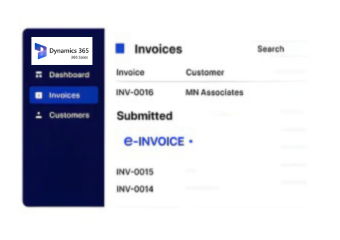
Returned fiscal details can remain associated with relevant sales records for easier operational review.
How Does Microsoft Dynamics 365 Sales Support Uganda
Advintek connects Microsoft Dynamics 365 Sales information with Uganda’s EFRIS workflow, helping businesses organize sales data, prepare applicable invoices, process fiscal information, and reference returned details.
- Identify relevant sales and billing records.
- Prepare applicable information for EFRIS.
- Support electronic fiscal document processing.
- Associate fiscal responses with transactions.
Start Your Sales Integration Today
Connect Microsoft Dynamics 365 Sales with Advintek to support Uganda’s EFRIS invoicing workflow.
Move sales information into structured fiscal processing workflows.
Ready e-Invoice System
Frequently Asked Questions Microsoft Dynamics e-Invoicing Uganda
1. Can opportunities in Dynamics 365 Sales contribute to invoicing?
Microsoft Dynamics 365 Sales manages leads, opportunities, accounts, contacts, and sales progression through the customer journey. Relevant information from these processes can provide commercial context for applicable billing activities. Advintek can then help organize qualifying transaction information for Uganda’s EFRIS workflow, connecting sales activity with fiscal invoicing processes.
2. Can order information be included in the EFRIS workflow?
Applicable order information from Microsoft Dynamics 365 Sales can contribute to invoice preparation when the relevant business process supports that connection. Advintek helps organize qualifying sales details for fiscal processing, creating a structured route between commercial records and Uganda’s EFRIS environment while maintaining useful references to originating transaction information.
3. How does the integration benefit sales and finance teams?
The integration connects customer-facing sales information with downstream fiscal processing, reducing separation between commercial activities and invoicing. Sales teams can continue managing accounts and opportunities in Dynamics 365 Sales, while Advintek helps prepare relevant information for EFRIS. Finance teams gain clearer references between sales transactions and fiscal records.
4. Can credit notes and billing corrections be supported?
Applicable credit notes and billing adjustments can be incorporated into the connected fiscal workflow when they meet the relevant processing requirements. Advintek helps organize correction information and associate it with the appropriate transaction context, supporting clearer handling of changes while maintaining useful relationships between Dynamics 365 Sales information and fiscal processing records.
5. Is system-to-system integration suitable for Dynamics 365 Sales?
System-to-system connectivity can provide a structured way to connect computerized business systems with applicable fiscal workflows. Advintek can serve as the integration layer for relevant Dynamics 365 Sales processes, helping connect transaction information with Uganda’s EFRIS environment while supporting organized fiscal processing and maintaining references to originating sales records.