Compliance Built Around Kingdee Cloud Cosmic
How Kingdee Cloud Cosmic Connects EFRIS
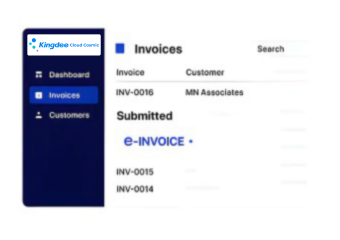
- Business Transactions Selected: Applicable sales and invoice transactions are identified across Kingdee Cloud Cosmic business operations for fiscal processing.
- Source Information Collected: Customer, product, service, quantity, tax, and transaction details are gathered from relevant business records.
- Invoice Data Organized: Selected information is structured according to the requirements of the connected Uganda EFRIS workflow.
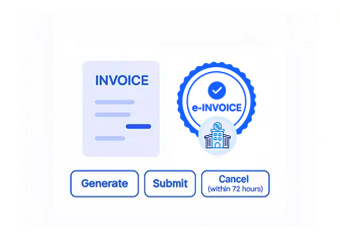
- Fiscal Information Transmitted: Prepared transaction information is exchanged with EFRIS through Advintek’s system-to-system integration.
- Fiscal Response Retrieved: Applicable EFRIS responses and generated fiscal information are received through the connected processing route.
- Business Records Referenced: Returned fiscal details can be associated with originating Cosmic transactions for subsequent operational review.
How Advintek Connects Kingdee Cloud Cosmic
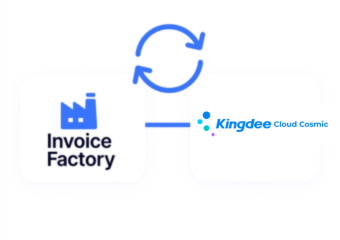
Advintek provides an integration layer between Kingdee Cloud Cosmic and Uganda EFRIS, allowing relevant business information to participate in electronic fiscal processing while organizations continue managing operations within their existing Cosmic environment.
- Maps business information for fiscal processing
- Supports connected API communication
- Captures applicable fiscal responses
- Associates results with originating transactions
Why Kingdee Cloud Cosmic Data Matters For EFRIS
- Sales Activity Establishes Context: Sales information can explain the commercial event behind an invoice and provide relevant transaction details for fiscal processing.
- Customer Data Improves Identification: Customer records can help identify the buyer associated with each qualifying transaction and its corresponding electronic fiscal documentation.
- Product Information Adds Detail: Product and service records can provide structured references for goods or services included within applicable invoice transactions.
- Supply Chain Activity Adds Visibility: Procurement, inventory, and fulfillment information can provide supporting context around transactions moving through connected business processes.
- Financial Information Supports Review: Accounting records can help finance teams examine fiscal invoice activity alongside the financial transactions recorded within Cloud Cosmic.
- Entity Data Strengthens Organization: Company and organizational information can help distinguish transactions across different operating entities managed within the broader Cosmic environment.
Everything You Need for Uganda E-Invoicing in One Place
Real-Time Invoice Validation
Connect applicable Cloud Cosmic sales information with Uganda EFRIS electronic invoice workflows.
Centralized Compliance Control
Associate relevant customer records with qualifying transactions entering the connected fiscal process.
Finance Transaction Referencing
Relate applicable fiscal information to corresponding financial transactions maintained within Cloud Cosmic.
Built To Connect Cloud Cosmic With EFRIS
Organizations using Kingdee Cloud Cosmic for finance, sales, procurement, inventory, manufacturing, supply chain, or broader business management can connect qualifying transactions with Uganda EFRIS through Advintek.
- Enterprises coordinating multiple business functions
- Manufacturing businesses managing integrated operations
- Organizations processing frequent customer transactions
- Companies using computerized ERP environments
Start Your EFRIS Integration
Link business operations with EFRIS through established Cloud Cosmic workflows.
Connect Kingdee Cloud Cosmic With Uganda EFRIS.
Ready e-Invoice System
FAQs Kingdee Cloud Cosmic ERP E-Invoicing Uganda
What business processes in Cloud Cosmic can feed an EFRIS workflow?
Depending on the configured implementation, qualifying information can originate from sales, customer management, inventory, supply chain, manufacturing, finance, and related business processes. Advintek can connect relevant transaction data with Uganda EFRIS, creating a structured fiscal pathway while Cloud Cosmic remains the central environment for managing business operations.
How can Cloud Cosmic customer records support electronic invoices?
Customer information maintained in Cloud Cosmic can provide important references for identifying buyers associated with qualifying transactions. Advintek can map applicable customer information into the EFRIS workflow, helping organizations maintain consistency between their commercial records, invoice information, and the fiscal documentation generated from those transactions.
Can Cloud Cosmic connect different business functions to one fiscal workflow?
Yes. Because ERP environments connect information across business functions, relevant sales, inventory, supply chain, manufacturing, and financial records can contribute context to qualifying transactions. Advintek can coordinate applicable information through a connected EFRIS workflow rather than requiring separate fiscal processes for every operational function.
How can finance teams review EFRIS activity against Cloud Cosmic data?
Applicable fiscal responses can be associated with originating Cloud Cosmic transaction information through the integration. This gives finance teams a reference for reviewing electronic invoice activity alongside relevant accounting and business records, helping them investigate transaction details without separating fiscal information from the wider ERP environment.
Is Cloud Cosmic suitable for a system-to-system EFRIS connection?
Uganda Revenue Authority states that businesses with computerized accounting systems, including ERP environments, can use system-to-system EFRIS connectivity through an API. Advintek can provide the integration pathway for qualifying Cloud Cosmic transactions, allowing applicable information to be exchanged electronically with EFRIS and fiscal responses returned to the connected workflow.