Uganda E-Invoicing Software for Secure Invoice Compliance

Automate Uganda e-Invoicing
Get Started Across WooCommerce Online Store Transactions
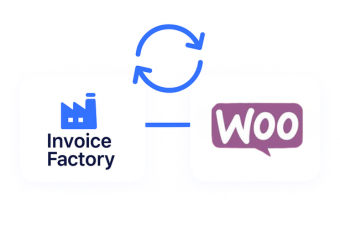
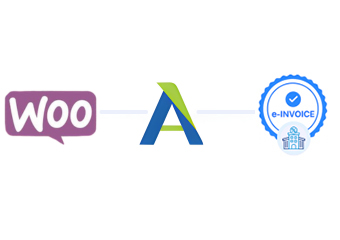
Advintek connects WooCommerce transactions with Uganda EFRIS for organized electronic invoicing across online commerce operations.
Powerful features

Compliance That Fits WooCommerce Stores

Affordable pricing for SMEs

Simple, Transparent Pricing

Starting from as low as

RM 20

How WooCommerce Transactions Enter EFRIS

  • Completed Orders Selected: Eligible WooCommerce transactions are identified according to the configured fiscal workflow.
  • Transaction Fields Gathered: Relevant order, customer, product, tax, discount, and shipping details are collected.
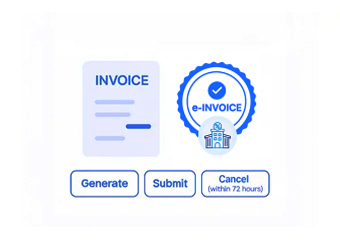
  • Invoice Structure Prepared: Selected commerce information is organized into appropriate electronic fiscal documentation.
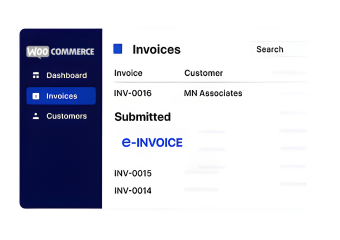
  • EFRIS Data Submitted: Prepared transaction information is transmitted through the connected Advintek integration.
  • Fiscal Details Returned: Applicable EFRIS information can return to the connected commerce workflow.
  • Transaction References Recorded: Fiscal results can remain associated with corresponding WooCommerce transaction records.

Advintek Capabilities Within WooCommerce

Advintek creates a connection between WooCommerce store activity and Uganda EFRIS, helping online businesses coordinate transaction information with electronic fiscal documentation.

ما هو موصل الفاتورة الإلكترونية
sap e invoicing for compliance sap einvoicing sap einvoice

Why WooCommerce Records Support EFRIS

  • Checkout Creates Transaction Context: WooCommerce checkout activity establishes the underlying commercial transaction that can be prepared for electronic fiscal processing.
  • Line Items Explain Purchases: Product-level information helps identify what was ordered, including quantities and applicable values associated with each item.
  • Customer Fields Add Identification: Relevant billing information can provide supporting context when connecting online transactions with their resulting fiscal documents.
  • Tax Lines Inform Calculations: WooCommerce order tax information can help organize applicable tax values within the electronic invoice workflow.
  • Discounts Reflect Order Adjustments: Coupon and discount information can help represent changes applied to eligible transactions before fiscal documentation is prepared.
  • Refunds Provide Transaction History: WooCommerce refund records can provide useful historical context when businesses review transactions that were subsequently adjusted.
Powerful features

Everything You Need for Uganda E-Invoicing in One Place

Built for UAE Businesses Using QuickBooks

How To Connect WooCommerce With EFRIS

WooCommerce merchants can connect their online sales environment with Uganda EFRIS when computerized transaction processing requires a structured fiscal connection.

WooCommerce E-Invoicing For Uganda Stores

Turn Online Orders Into Uganda EFRIS Records

Support your online store with connected fiscal processing built around existing transactions.

Connect WooCommerce Orders With Uganda EFRIS.

Ready e-Invoice System

0 % URA

Frequently Asked Questions WooCommerce E-Invoicing Uganda

When should a WooCommerce order enter the fiscal invoicing workflow?

The appropriate trigger can depend on how a business defines completed or invoice-ready transactions within its WooCommerce operation. Advintek can be configured around the selected workflow, allowing relevant order information to enter fiscal processing at an appropriate stage rather than treating every preliminary cart activity as an invoice event.

WooCommerce orders can contain coupon lines and discount information alongside their product and tax details. Advintek can use relevant transaction values when preparing fiscal documentation, helping preserve the commercial context of promotional adjustments instead of treating the discounted order as an unrelated transaction.

WooCommerce allows certain order information to be edited depending on the order’s status and workflow stage. Businesses should establish clear rules for when transactions become fiscally processed. Advintek can support the configured process by distinguishing applicable transaction information before electronic documentation is submitted through EFRIS.

Yes. WooCommerce orders can contain shipping lines and fee information alongside products and taxes. Where these values are relevant to the fiscal document, Advintek can map applicable transaction details into the connected workflow, helping the resulting electronic documentation reflect the broader commercial structure of the online order.

A connected workflow can retain relationships between WooCommerce orders and applicable fiscal information returned from EFRIS. This gives teams a practical reference when reviewing transactions later, helping them compare original ecommerce activity with associated electronic invoice details, fiscal identifiers, or subsequent transaction adjustments handled within their established processes.