Compliance That Fits Microsoft Dynamics 365 Commerce Users
How Does Microsoft Dynamics 365 Commerce Enter EFRIS Processing
- Channel Activity Review: Relevant Commerce transactions are identified across POS, online, call center, and other applicable sales channels.
- Order Context Check: Customer, product, quantity, pricing, fulfillment, and transaction details are reviewed for applicable billing records.
- Invoice Information Assembly: Selected Commerce transaction information is organized into the required invoice-processing structure.
- Fiscal Data Validation: Advintek reviews relevant invoice information before the transaction enters Uganda’s fiscal processing workflow.
- EFRIS Submission Route: Validated transaction information moves through the applicable EFRIS integration process for URA processing.
- Fiscal Details Return: Returned fiscal information can be associated with the originating Commerce transaction for subsequent reference and review.
What Does Advintek Add to Microsoft Dynamics 365 Commerce?
Advintek creates a structured integration layer between applicable Commerce transaction information and Uganda’s EFRIS environment, helping retailers prepare, validate, process, and review invoice information across connected selling channels.
- Maps relevant Commerce transaction information
- Checks invoice details before processing
- Supports applicable EFRIS transaction submission
- Organizes returned fiscal information for review
Why Does Microsoft Dynamics 365 Commerce Help Uganda Retailers?
- Omnichannel Billing Context: Commerce captures sales across physical and digital channels, giving invoice processing a broader view of the originating customer transaction.
- Consistent Product Information: Product, pricing, discounts, and inventory details can remain connected to applicable sales transactions as invoice information is prepared.
- Better Order Traceability: Orders can move through fulfillment, pickup, shipping, and other processes while maintaining relevant transaction information for billing review.
- Retail Transaction Coverage: Store Commerce supports sales, returns, inventory, fulfillment, and store operations, giving retailers broader transaction coverage for invoice processing.
- Financial Reconciliation Support: Commerce statement posting and financial processes provide useful accounting context when reviewing applicable invoice transactions and sales activity.
- Channel-Level Visibility: Businesses can review applicable invoice activity against the channels, customers, products, and transactions that generated the underlying commerce records.
Complete Control Over Uganda E-Invoicing Workflows in One Platform
Error Detection and Resolution Support
Give teams visibility into applicable invoice transactions as they progress through validation and fiscal processing.
Dashboard and Reporting
Help identify invoice information requiring investigation before transactions continue through the applicable EFRIS workflow.
Dedicated e-Invoicing Support
Support operational review by relating fiscal invoice activity to relevant Commerce sales and transaction information.
Microsoft Dynamics 365 Commerce for Uganda Retailers
Microsoft Dynamics 365 Commerce supports omnichannel retail across POS, digital commerce, call centers, B2B scenarios, merchandising, inventory, customer engagement, and order orchestration.
- Retail chains connect store transactions with invoice processing
- E-commerce businesses align online orders with billing
- Wholesalers manage customer-specific commerce transactions
- Omnichannel retailers coordinate sales across channels
Connect Microsoft Dynamics 365 Commerce
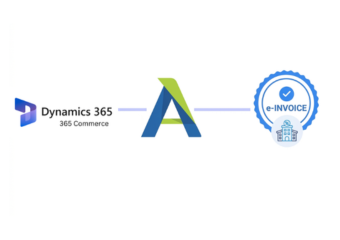
Advintek connects Commerce invoice activity with Uganda EFRIS processing workflows.
Commerce manages retail operations. Advintek supports fiscal connectivity.
Ready e-Invoice System
Frequently Asked Questions Microsoft Dynamics e-Invoicing Uganda
Where do POS transactions fit into Uganda invoice processing?
Microsoft Dynamics 365 Commerce records transactions through its Store Commerce POS and transfers applicable transaction information through Commerce processes. Customer-associated sales can generate sales orders and invoices during statement posting. Advintek can use relevant transaction information as the source context for applicable Uganda EFRIS invoice processing.
What role can returns play in fiscal transaction review?
Returns are supported within Commerce POS workflows and form part of the broader retail transaction lifecycle. When a transaction requires correction or return handling, the originating sales context can help identify the applicable record. Advintek can support the related invoice-processing workflow where fiscal treatment is required.
Which Commerce details are useful for customer-specific billing?
Commerce can maintain customer, product, pricing, promotion, order, and fulfillment information across connected retail channels. These details help establish the commercial context surrounding a transaction. For applicable EFRIS processing, Advintek can organize relevant billing information from the underlying Commerce transaction before fiscal submission.
When does fulfillment information become relevant to invoice records?
Fulfillment becomes relevant when Commerce orders are picked, shipped, delivered, or prepared for store pickup. The platform supports store-level fulfillment and distributed order management. Where fulfillment status contributes to an applicable billing transaction, related information can help maintain context during invoice preparation and fiscal processing.
How can statement posting support invoice reconciliation?
Commerce statement posting brings POS transactions into Commerce headquarters for calculation and posting. For customer transactions, the system can generate sales orders and invoices while recording associated payment journals. These accounting references can help businesses compare invoice activity with broader retail transaction records during reconciliation.