Compliance Built for Epicor BisTrack Operations
How Does Epicor BisTrack Reach EFRIS?
- Record Sales Transactions: Epicor BisTrack captures sales, customer, product, and transaction information from daily retail distribution operations.
- Collect Invoice Details: Advintek gathers relevant data required for the connected fiscal invoicing process and submission workflow.
- Check Submitted Information: Transaction details are reviewed through configured validation rules before applicable fiscal processing begins.
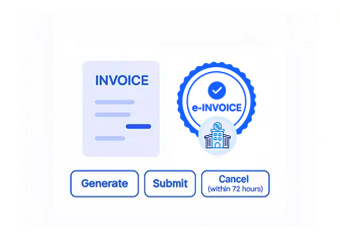
- Process Fiscal Invoices: Advintek handles eligible invoice information through the connected Uganda EFRIS workflow for fiscal processing.
- Receive Fiscal Responses: Processed transactions return applicable fiscal references and response information through the connected integration channel.
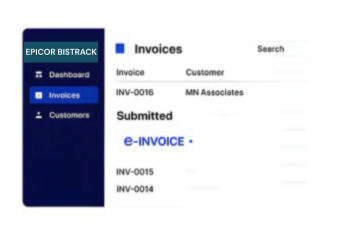
- Update Invoice Records: Relevant fiscal details support continued invoice tracking and reconciliation within connected BisTrack workflows.
Why Add Advintek To Epicor BisTrack
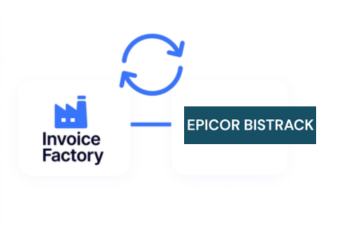
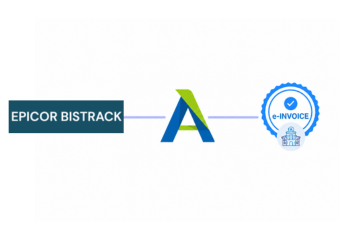
Advintek connects Epicor BisTrack’s sales and distribution information with Uganda’s EFRIS invoicing environment, creating a structured fiscal workflow around existing ERP operations.
- Connect sales records with fiscal processing.
- Prepare invoice data for EFRIS.
- Reduce repetitive fiscal data handling.
- Improve visibility across invoice transactions.
What Does Epicor BisTrack Integration Improve
- Quicker Invoice Handling: Shorten repetitive preparation activities when converting distribution sales information into accurate fiscal-ready invoice data.
- Consistent Transaction Information: Maintain dependable alignment between Epicor BisTrack records and Advintek’s structured electronic invoicing workflows.
- Streamlined Fiscal Processing: Give finance teams a more organized approach to handling Uganda EFRIS invoice requirements and submission activities.
- Easier Document Retrieval: Help users locate important invoice and fiscal information without navigating through disconnected business records.
- Less Repetitive Data Entry: Minimize duplicate information handling across sales, distribution, and electronic invoicing activities within connected workflows.
- Clearer Processing Oversight: Improve visibility into invoice progress, fiscal responses, and related transaction information throughout processing activities.
Complete Control Over Epicor BisTrack Uganda E-Invoicing Workflows
Error Detection and Resolution Support
Connect BisTrack sales information with Advintek for structured electronic invoice processing in Uganda.
Dashboard and Reporting
Use Advintek as the connection layer for efficiently handling EFRIS-oriented invoice transactions.
Dedicated E-Invoicing Support
Access organized fiscal information alongside existing BisTrack sales and distribution workflows.
How Can BisTrack Support Uganda E-Invoicing
Epicor BisTrack manages sales and distribution activity while Advintek connects applicable transaction data with Uganda’s EFRIS fiscal invoicing framework.
- Prepare distribution transactions for EFRIS.
- Route invoice information through Advintek.
- Capture relevant fiscal transaction references.
- Support organized electronic invoicing operations.
Epicor BisTrack Compliance Made Simpler
Support your distribution workflows with a connected approach to Uganda electronic invoicing.
Connect Epicor BisTrack with Advintek for EFRIS-ready invoice processing.
Ready e-Invoice System
Frequently Asked Questions Epicor BisTrack ERP E-Invoicing Uganda
What is Epicor BisTrack used for in Uganda?
Epicor BisTrack is designed for businesses managing building materials, distribution, sales, inventory, and related operational activities. When connected with Advintek, relevant BisTrack transaction information can support Uganda EFRIS invoicing workflows. This enables businesses to retain their ERP processes while adding a dedicated connection for electronic fiscal invoice processing.
How does Advintek connect Epicor BisTrack with EFRIS?
Advintek acts as the integration layer between Epicor BisTrack and Uganda’s EFRIS environment. Relevant sales and invoice information can move from BisTrack into the configured fiscal workflow, where Advintek processes applicable data and handles fiscal responses. This creates a structured connection without disrupting core ERP-based distribution operations.
Can BisTrack sales data be used for EFRIS invoices?
Yes, relevant sales information recorded in Epicor BisTrack can be prepared for EFRIS-oriented processing through Advintek. Product, customer, transaction, and invoice information can form part of the connected workflow. This helps businesses coordinate their existing distribution records with Uganda’s electronic fiscal invoicing process more efficiently.
Why integrate Epicor BisTrack with Advintek for Uganda?
Integrating Epicor BisTrack with Advintek gives distribution businesses a dedicated route between their ERP transactions and Uganda’s fiscal invoicing environment. Instead of handling disconnected processes, teams can coordinate invoice information through a structured integration designed around BisTrack sales activity and EFRIS-related processing requirements.
Does Advintek change existing BisTrack workflows?
Advintek is designed to work alongside Epicor BisTrack rather than replace the ERP’s core sales and distribution functions. The connector focuses on the fiscal invoicing layer, allowing businesses to continue using familiar BisTrack processes while relevant transaction information is prepared and processed for Uganda’s EFRIS environment.