Compliance That Fits SAP ECC Users
How Does SAP ECC Process Uganda EFRIS Invoices
- Transaction Data Preparation: Applicable billing information is organized according to the connected fiscal workflow and Uganda-specific processing requirements.
- Billing Transaction Identification: Relevant SAP ECC invoices and adjustments are identified from established billing activity and applicable transaction records.
- Invoice Information Validation: Relevant customer, product, tax, and billing details are examined to confirm the information is ready for fiscal processing.
- EFRIS Data Conversion: Advintek structures relevant SAP ECC transaction information into a format suitable for processing through Uganda’s EFRIS environment.
- Fiscal Submission Processing: Prepared transaction information is routed through the applicable Uganda Revenue Authority fiscal workflow for processing and validation.
- Fiscal Response Association: Returned fiscal information can be associated with corresponding SAP ECC transaction records for review and future reference.
Why Use Advintek With SAP ECC
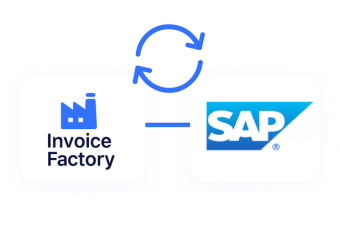
Advintek provides a connecting layer between SAP ECC billing activity and Uganda’s EFRIS environment, helping businesses organize relevant invoice information for fiscal processing without separating it from their established ERP operations.
- Connect SAP ECC billing activity with Advintek.
- Prepare applicable invoices for URA processing.
- Structure transaction information for fiscal submission.
- Associate fiscal responses with relevant records.
What Can SAP ECC Integration Improve
- Connected Billing Operations: Relevant SAP ECC billing information can enter the fiscal workflow through a dedicated connection with Advintek.
- EFRIS-Ready Transaction Preparation: Advintek organizes applicable transaction information before it proceeds through Uganda’s electronic fiscal invoicing environment.
- Consistent Data Movement: Relevant billing information follows an organized route from SAP ECC into the applicable fiscal processing workflow.
- Improved Finance Visibility: Finance teams can reference transaction and fiscal information through connected processes rather than isolated records.
- Adaptable Invoice Scenarios: The workflow can accommodate applicable invoices, credit notes, adjustments, and different customer billing situations.
- Simplified Fiscal Coordination: SAP ECC and Advintek work together to create a structured route toward Uganda’s fiscal invoicing requirements.
Everything You Need for Uganda E-Invoicing in One Place
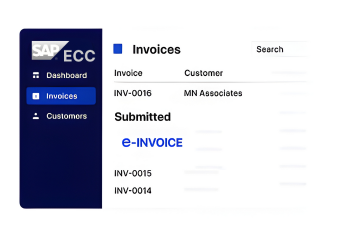
Real-Time Validation Feedback
Continue working with established SAP ECC billing information while supporting connected fiscal processing activities.
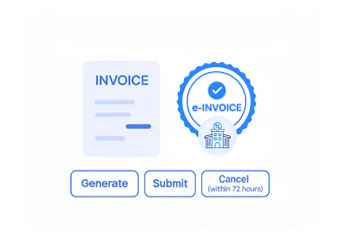
Centralized Financial Dashboard
Advintek provides a structured route for relevant SAP ECC transaction information entering Uganda’s URA environment.
Continuous Compliance Support
Returned information can remain associated with applicable ERP transactions for easier finance review and reference.
How Can SAP ECC Support Uganda Fiscal Processing
Advintek connects SAP ECC billing information with Uganda’s EFRIS workflow, helping businesses prepare applicable transaction data, support fiscal submission, and retain returned information alongside related ERP records.
- Identify applicable SAP ECC invoice transactions.
- Prepare relevant information for EFRIS.
- Support Uganda fiscal submission workflows.
- Track returned fiscal information with records.
Start Your Uganda Fiscal Processing
Connect SAP ECC with Advintek for Uganda e-invoicing workflows.
Take the next step toward connected URA processing.
Ready e-Invoice System
Frequently Asked Questions SAP ECC E-Invoicing Uganda
1. How does SAP ECC work with Uganda EFRIS?
SAP ECC can provide relevant billing and transaction information for processing through Uganda’s EFRIS environment. Advintek serves as the connecting layer, helping prepare applicable invoice data and route it through the fiscal workflow. Returned information can then remain associated with corresponding SAP ECC records for finance reference.
2. Which SAP ECC transactions can enter the fiscal workflow?
Applicable SAP ECC billing transactions can be considered for the connected fiscal workflow, depending on the business process and relevant requirements. This may include invoices, credit notes, adjustments, and other qualifying billing records. Advintek helps organize the information required for processing through Uganda’s EFRIS environment.
3. How does Advintek connect SAP ECC billing with EFRIS?
Advintek connects relevant SAP ECC billing information with Uganda’s EFRIS processing environment. It helps structure transaction data, prepare applicable fiscal information, and support the submission workflow. Fiscal responses returned through the process can be associated with corresponding ERP transactions, providing finance teams with clearer processing references.
4. Can SAP ECC retain fiscal information after invoice processing?
Relevant fiscal information returned during processing can remain associated with corresponding SAP ECC transaction records through the connected workflow. This gives finance teams a useful reference when reviewing previously processed invoices and related fiscal details, while helping maintain stronger connections between ordinary ERP records and fiscal processing information.
5. What advantages does SAP ECC integration provide for Uganda invoicing?
Connecting SAP ECC with Advintek creates an organized route between established ERP billing processes and Uganda’s EFRIS environment. Businesses can prepare applicable transaction information, support fiscal submission workflows, and associate returned fiscal details with relevant records, helping finance teams manage invoicing activities with greater structure and visibility.