Why Infor M3 Users Trust Advintek
From Infor M3 Sales Orders to Uganda E-Invoices
- Start With Customer Orders: Relevant Infor M3 sales orders provide the commercial details needed to begin invoice preparation.
- Confirm Fulfillment Information: Shipment, quantity, item, and customer information can be reviewed against the transaction before invoicing.
- Build the Invoice Dataset: Applicable commercial and tax fields are assembled into an organized structure for fiscal processing.
- Apply Uganda Requirements: Advintek prepares the relevant information for the connected Uganda EFRIS workflow.
- Transmit Fiscal Information: Prepared invoice data moves through the system-to-system route used for EFRIS processing.
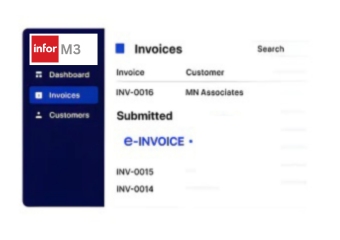
- Capture Fiscal Results: Returned fiscal information can be linked with the originating M3 invoice for subsequent accounting and review.
Extending Infor M3 for Uganda EFRIS
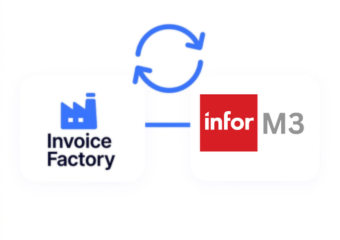
Infor M3 brings together sales, supply chain, manufacturing, inventory, procurement, and financial processes across industry-specific operations. Advintek adds a focused fiscal integration layer, connecting relevant M3 invoice information with Uganda’s EFRIS environment.
- Connects M3 sales information with EFRIS
- Structures applicable invoice fields for processing
- Supports pre-submission information checks
- Links fiscal results with M3 records
Stronger Invoicing Across Infor M3 Operations
- Sales Order Flow: Infor M3 sales orders connect pricing, availability, fulfillment, and invoicing for completed customer transactions within established workflows.
- Product Data Connection: Infor M3 links inventory, purchasing, production, and fulfillment data with product-level invoice information during customer billing processes.
- Multi-Site Operations: Infor M3 supports multisite operations, helping Ugandan entities maintain structured invoicing across different business locations and branches.
- Financial Record Continuity: Infor M3 connects invoices with receivables, supporting clearer financial records throughout customer transaction cycles and accounting processes.
- Industry Workflow Support: Infor M3 supports manufacturing, distribution, food, chemicals, fashion, and equipment businesses across complex operational environments.
- Reporting Context: Infor M3 analytics can connect sales, supply chain, and invoice information for clearer operational reporting and transaction analysis.
What Infor M3 Gets for Uganda E-Invoicing
Exception Resolution
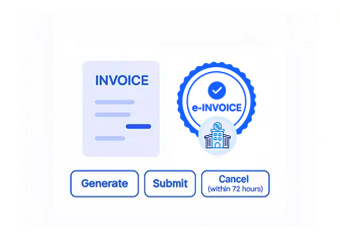
Review applicable invoice information before fiscal processing, helping teams identify potentially incomplete customer, product, pricing, or tax details.
Centralized Monitoring
Identify transactions requiring attention when information does not meet processing expectations, giving finance teams a clearer route for investigation.
Compliance Updates
Maintain connections between fiscal processing activity and originating M3 transactions, supporting easier investigation of individual invoices and adjustments.
Infor M3 for Uganda's Operational Industries
Infor M3 serves organizations with complex manufacturing, distribution, food and beverage, chemicals, fashion, and equipment operations. For Ugandan businesses in these sectors, connecting M3 invoicing with EFRIS can align fiscal processing with established commercial workflows.
- Food producers managing high-volume customer orders
- Distributors coordinating sales with warehouse operations
- Manufacturers linking finished goods to customer billing
- Equipment businesses handling structured sales transactions
Automate Uganda E-Invoicing
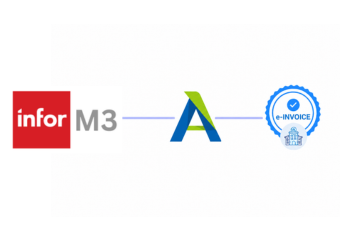
Advintek connects applicable Infor M3 invoice information with Uganda’s environment for fiscal processing.
Keep M3 at the center of operations while Advintek handles the fiscal connection.
Ready e-Invoice System
FAQs Infor M3 and Uganda E-Invoicing
Can M3 sales orders be used when creating EFRIS invoices?
Infor M3 connects sales orders with pricing, customer information, product details, and fulfillment activities. When those orders become invoiceable transactions, Advintek can use the relevant information to prepare the fiscal invoice workflow, helping Ugandan businesses maintain a clear connection between commercial transactions and EFRIS processing.
What happens when an M3 invoice needs correction?
When an invoice requires an adjustment, the relevant M3 transaction can be reviewed to determine the appropriate fiscal treatment. Advintek can carry applicable correction information into the connected Uganda e-invoicing workflow, helping maintain consistency between the revised document and the original M3 transaction.
Can M3 handle invoices involving different tax treatments?
Infor M3 supports detailed sales and financial processes where applicable tax information forms part of transaction and invoice records. Relevant tax details can be prepared through the integration before fiscal processing, helping businesses present appropriate invoice information within the Uganda EFRIS environment.
How can M3 users manage invoices across different Ugandan locations?
Organizations operating multiple branches or sites can maintain their commercial and financial activities within M3 while routing applicable Ugandan invoice information through the fiscal workflow. Advintek can help distinguish relevant transaction data so invoice processing remains aligned with the appropriate business operation and EFRIS requirements.
Can EFRIS information remain connected to M3 accounting records?
A connected integration can associate fiscal processing results with the M3 invoice that generated the transaction. This gives accounting teams a clearer reference when reviewing receivables, investigating invoice issues, reconciling records, or checking the fiscal history of customer transactions within their established M3 environment.