Compliance Built for Financial Control Environments
How Microsoft Dynamics 365 Finance Connects
- Ledger Activity Identified: Applicable financial transactions are selected from the configured Dynamics 365 Finance environment.
- Billing Information Gathered: Customer, invoice, tax, account, and organizational details are assembled from relevant records.
- Fiscal Structure Applied: Advintek organizes qualifying information for the configured Uganda electronic invoicing workflow.
- EFRIS Message Transmitted: Prepared information is exchanged with Uganda’s EFRIS environment through the connected integration.
- Fiscal Output Returned: Available EFRIS-generated information is received following successful processing of the transaction.
- Finance Records Referenced: Applicable fiscal information can be associated with the originating Finance transaction for future review.
How Advintek Extends Microsoft Dynamics 365 Finance
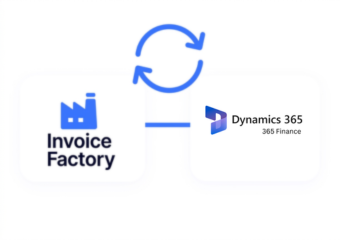
Advintek establishes a dedicated connection between Microsoft Dynamics 365 Finance and Uganda EFRIS, helping financial teams extend existing accounting processes into electronic fiscal processing.
- Coordinates transaction information for submission
- Returns applicable fiscal references
- Supports existing Finance configurations
- Extends accounting data beyond Finance
Why Use Microsoft Dynamics 365 Finance For EFRIS
- Structured Accounting Foundation: Microsoft Dynamics 365 Finance provides organized accounting structures that can give qualifying transactions a consistent financial foundation.
- Customer Billing Visibility: Accounts receivable records can provide useful customer and invoice context for transactions entering electronic fiscal workflows.
- Vendor Activity Context: Accounts payable information can help organizations understand supplier-related financial activity alongside broader accounting operations.
- Dimension-Based Classification: Financial dimensions allow organizations to classify transactions using configured business structures and valid account combinations.
- Tax Information Alignment: Tax-related transaction information can contribute relevant fiscal context when invoice data is prepared for electronic processing.
- Financial Reporting References: General ledger and dimension-based information can help finance teams review fiscal activity alongside broader accounting records.
Complete Control Over Uganda E-Invoicing Workflows in One Platform
Error Detection and Resolution Support
Connect applicable customer billing information from Dynamics 365 Finance with Uganda’s electronic fiscal workflow.
Dashboard and Reporting
Carry relevant financial classification alongside qualifying transactions entering the connected EFRIS process.
Dedicated e-Invoicing Support
Relate applicable accounting references to fiscal transactions processed through the integration.
Who Can Extend Finance With EFRIS?
Businesses using Microsoft Dynamics 365 Finance for accounting, receivables, payables, taxation, budgeting, reporting, or multi-entity financial management can connect qualifying transactions with Uganda EFRIS through Advintek.
- Finance departments managing high-volume billing
- Organizations operating multiple legal entities
- Businesses with centralized accounting operations
- Enterprises using computerized financial systems
Start Your Uganda E-Invoicing Journey
Turn qualifying Dynamics 365 Finance transactions into structured electronic fiscal submissions through Advintek.
Give your finance team a direct path from accounting activity toward Uganda’s EFRIS environment.
Ready e-Invoice System
Frequently Asked Questions Microsoft Dynamics e-Invoicing Uganda
What role does General Ledger play in Microsoft Dynamics 365 Finance e-invoicing?
General Ledger provides the accounting structure behind posted financial transactions in Microsoft Dynamics 365 Finance. While EFRIS handles Uganda’s fiscal processing, relevant ledger and transaction information can provide supporting context. Advintek can connect applicable Finance records with EFRIS, helping organizations relate electronic fiscal activity to their underlying accounting operations.
How can financial dimensions improve Microsoft Dynamics 365 Finance invoice data?
Financial dimensions allow Microsoft Dynamics 365 Finance users to classify transactions using structures such as departments, business units, or other configured dimensions. Advintek can preserve relevant classification when connecting qualifying transactions with EFRIS, giving organizations additional context when reviewing fiscal documents alongside their internal financial reporting structures.
Can Microsoft Dynamics 365 Finance support EFRIS for multiple legal entities?
Microsoft Dynamics 365 Finance can manage financial information across legal entities using configured accounting structures. For organizations operating multiple entities in Uganda, Advintek can connect applicable transactions with the EFRIS workflow, helping establish appropriate fiscal processing around qualifying entity-specific financial activity while maintaining the organization’s existing Finance configuration.
How does Accounts Receivable connect with Uganda e-invoicing?
Accounts Receivable manages customer billing activity within Microsoft Dynamics 365 Finance, creating transaction information that can be relevant to electronic invoicing. Advintek can connect qualifying receivable transactions with EFRIS, helping organizations carry customer and invoice information into fiscal processing while keeping their established accounts receivable workflow within Microsoft Dynamics 365 Finance.
Can Microsoft Dynamics 365 Finance work with Uganda’s EFRIS API connection?
URA provides a system-to-system EFRIS option using an API for businesses with computerized accounting systems, including ERP environments. Advintek can provide the integration layer connecting qualifying Microsoft Dynamics 365 Finance transactions with EFRIS, supporting electronic fiscal exchange while Finance remains the organization’s central platform for accounting and financial management.