Compliance Built for Shopify POS Retail Workflows
How Shopify POS Connects With Uganda EFRIS
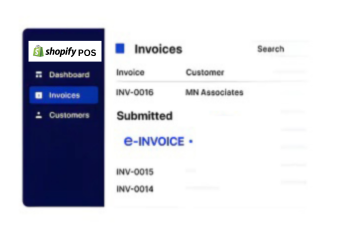
- Retail Sales Identified: Applicable completed Shopify POS transactions are selected for fiscal processing.
- Checkout Information Collected: Product, quantity, customer, discount, and location details are gathered.
- Transaction Data Structured: Selected retail information is organized into electronic fiscal invoice data.
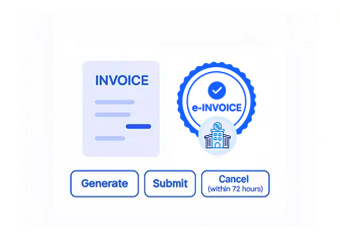
- EFRIS Submission Initiated: Prepared transaction information is transmitted through the Advintek integration.
- Fiscal Response Received: Available EFRIS information returns through the connected processing workflow.
- POS Records Referenced: Relevant fiscal information can be associated with originating Shopify POS transactions.
What Advintek Adds To Shopify POS
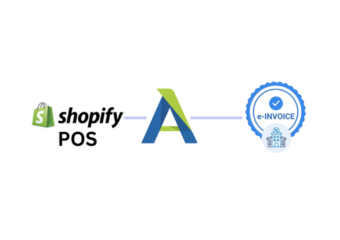
Advintek adds a fiscal connection around Shopify POS retail transactions, linking checkout, product, customer, location, and refund information with Uganda EFRIS processing.
- Structures checkout data
- Supports fiscal document exchange
- Routes available EFRIS responses
- Links results with Shopify POS records
Why Shopify POS Data Matters
- Checkout Information Starts: Completed checkout records can establish the commercial foundation for applicable fiscal documentation processes.
- Product Details Explain: Catalog information helps identify the products included within individual retail transaction records.
- Store Data Identifies: Location information can distinguish the outlet associated with a particular customer purchase transaction.
- Customer Records Add: Available customer information can provide useful context for applicable invoice and transaction records.
- Discounts Clarify Values: Discount information can help explain adjustments reflected within retail transaction and invoice data.
- Refund Records Contextualize: Refund activity can provide additional background when reviewing related fiscal transaction and sales history.
Everything You Need for Uganda E-Invoicing Workflows in One Platform
Error Detection and Resolution Support
Connect applicable Shopify POS checkout information with structured Uganda EFRIS processing workflows.
Dashboard and
Reporting
Use relevant product and quantity information when preparing electronic fiscal transaction data.
Dedicated e-Invoicing Support
Associate applicable location and fiscal information with corresponding Shopify POS transaction records.
Who Can Connect Shopify POS With EFRIS
Advintek supports retailers using Shopify POS by connecting qualifying checkout activity with Uganda EFRIS through structured electronic fiscal processing.
- Retail stores using Shopify POS
- Multi-location retail businesses
- Brands managing physical outlets
- Teams processing high-volume checkouts
Connect Every Eligible Retail Sale
Extend Shopify POS with structured Uganda EFRIS processing for applicable retail transactions.
Advintek connects checkout activity with Uganda’s fiscal workflows.
Ready e-Invoice System
Frequently Asked Questions Shopify POS e-Invoicing Uganda
What information from a Shopify POS checkout can support fiscal processing?
A completed retail transaction may contain several useful data points, including purchased items, quantities, transaction values, applicable discounts, customer information, and store details. Advintek can work with the relevant configured fields and connect qualifying checkout information with the Uganda EFRIS fiscal processing workflow.
Can different Shopify POS locations be distinguished during invoicing?
Yes. Store or location information can provide an important reference when a retailer operates several physical outlets. Where location data forms part of the transaction workflow, Advintek can incorporate the applicable reference when connecting Shopify POS activity with EFRIS, helping organizations distinguish transactions by operating location.
How are product details useful beyond the checkout screen?
Product information gives fiscal documentation more meaningful transaction context by identifying what was purchased and in what quantity. Relevant catalog fields can be mapped from Shopify POS into the connected workflow, allowing applicable product information to accompany the transaction as it progresses through EFRIS processing.
Can refunds and returned goods be considered in connected workflows?
Refunds represent a different type of retail activity from an original sale and may require separate handling according to the applicable fiscal process. Where refund information is relevant, Advintek can connect suitable Shopify POS records with the configured EFRIS workflow for appropriate transaction reference.
Is Shopify POS suitable for retailers with frequent daily sales?
Shopify POS can centralize retail checkout activity across participating stores, while an integration layer can connect qualifying transactions with fiscal processing. Advintek helps establish that connection with Uganda EFRIS, allowing retailers to retain their existing checkout environment while supporting structured electronic fiscal workflows for applicable sales.