Compliance Built for Infor CloudSuite Operations
How Infor CloudSuite Reaches EFRIS
- Select Transaction Records: Customer sales, products, quantities, and relevant invoice information originate within established Infor CloudSuite processes.
- Check Invoice Information: Required fields are reviewed so incomplete or inconsistent transaction details can be addressed before fiscal processing.
- Prepare EFRIS Data: Advintek structures relevant CloudSuite information into the format required for the connected Uganda e-invoicing workflow.
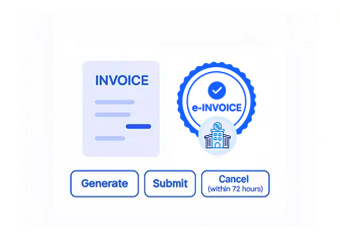
- Submit Fiscal Details: Prepared invoice information is transmitted through the integration layer toward EFRIS for fiscal processing.
- Receive Fiscal Response: EFRIS returns relevant fiscal information, allowing the connected process to capture the resulting invoice status.
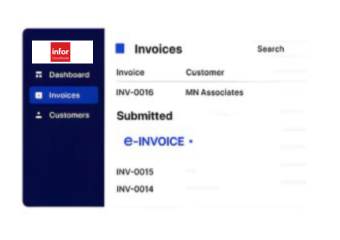
- Update ERP Records: The resulting information can remain associated with Infor CloudSuite transaction records for accounting, reporting, and operational reference.
What Advintek Adds to Infor CloudSuite
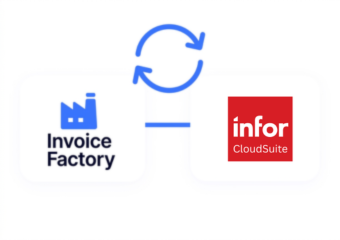
Advintek provides the integration layer between Infor CloudSuite and Uganda’s EFRIS environment, connecting operational invoice data with fiscal processing requirements.
- Structured invoice information for EFRIS
- Connected fiscal response handling
- Support for invoice adjustments
- Better continuity between ERP records
Business Value Across Infor CloudSuite Workflows
- Product Data Connection: Inventory and product information remains associated with billing records, supporting clearer invoice preparation across sales and fulfillment activities.
- Sales Order Flow: CloudSuite sales information can feed customer invoicing with relevant pricing, quantities, fulfillment details, and transaction context.
- Multi-Site Operations: Infor CloudSuite environments supporting multiple operational locations can organize Uganda invoicing activity around relevant business and transaction records.
- Financial Record Continuity: Invoice information can remain connected with receivables and financial records, giving accounting teams stronger transaction context.
- Industry Workflow Support: Infor CloudSuite supports manufacturing, distribution, healthcare, food, and other industry-focused operations with specialized ERP processes.
- Reporting Context: Connected invoice information can contribute additional context to financial, sales, inventory, and operational reporting within Infor CloudSuite.
Complete Control Over Uganda E-Invoicing Workflows in One Platform
Error Detection and Resolution Support
Review customer, item, quantity, tax, and invoice information before records enter the Uganda fiscal workflow.
Dashboard and Reporting
Capture relevant EFRIS responses so teams can identify processed records and investigate transactions requiring attention.
Dedicated e-Invoicing
Support
Maintain clearer links between invoice activity and the underlying CloudSuite records used by finance and operations.
Why Uganda Infor CloudSuite Teams Need EFRIS Integration
Infor CloudSuite users across Uganda can connect established ERP processes with EFRIS while retaining the operational context already used by finance and commercial teams.
- Manufacturing teams can connect production sales with invoicing
- Distributors can align inventory-linked customer billing
- Finance teams can reference connected receivables records
- Multi-location organizations can coordinate Uganda invoice processing
Built Around Your ERP Processes
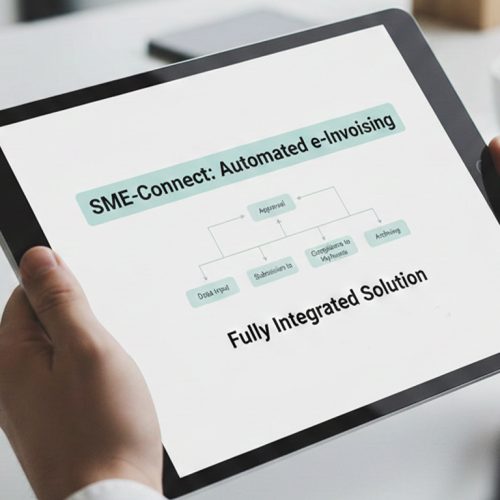
Advintek connects the information already generated through Infor CloudSuite with Uganda e-invoicing workflows.
Advintek integration. EFRIS-ready processing.
Ready e-Invoice System
Frequently Asked Questions Infor CloudSuite e-Invoicing Uganda
Can Infor CloudSuite sales orders support Uganda e-invoicing?
Yes. Relevant sales order information such as customer, product, quantity, pricing, and transaction details can provide the foundation for invoice preparation. Advintek can connect appropriate Infor CloudSuite information with the EFRIS workflow, helping businesses avoid recreating invoice details separately for Uganda fiscal processing.
How are Infor CloudSuite credit notes handled for Uganda invoices?
Where a Infor CloudSuite transaction requires an adjustment, the corresponding credit or debit information can follow a defined integration workflow. Advintek can connect the relevant adjustment data with EFRIS processing, helping maintain clearer relationships between the original transaction, correction, and resulting fiscal record.
Can inventory information remain connected to Infor CloudSuite invoices?
Yes. CloudSuite connects sales and invoicing with inventory and fulfillment processes. For businesses where product quantities affect customer billing, relevant inventory-linked information can travel with the invoice data through the integration, supporting more consistent transaction records throughout the Uganda e-invoicing process.
How does EFRIS fit into Infor CloudSuite finance workflows?
EFRIS handles Uganda’s electronic fiscal invoicing requirements, while CloudSuite remains the ERP environment for broader business records. Advintek provides the connecting layer, allowing relevant invoice information and fiscal responses to move between the ERP workflow and EFRIS without separating invoicing from established financial processes.
Can Infor CloudSuite reporting use connected invoice information?
Connected invoice information can provide additional context for financial and operational reporting in Infor CloudSuite. Because CloudSuite supports reporting across areas such as finance, sales, inventory, and operations, retaining appropriate invoice references can help teams review transactions alongside the business activity that generated them.