Uganda E-Invoicing Software for Secure Invoice Compliance

QuickBooks Desktop for Uganda
Get Started EFRIS Billing With Advintek
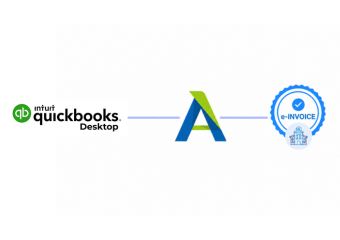
QuickBooks Desktop organizes customer billing and accounting records while Advintek supports applicable Uganda EFRIS invoice processing.
Powerful features

Compliance Built Around Desktop Accounting Workflows

QuickBooks Desktop Within Fiscal Processing

  • Source Transaction Review: Applicable invoice activity is identified from the QuickBooks Desktop company file and customer records.
  • Billing Information Assessment: Relevant customer, item, amount, tax, and transaction information receives a preliminary review.
  • Record Field Alignment: Applicable QuickBooks Desktop fields are aligned with information required for the connected fiscal workflow.
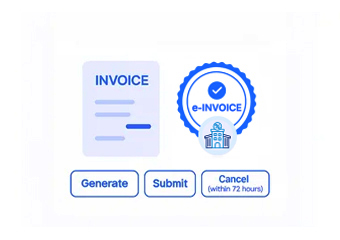
  • Fiscal Record Preparation: Advintek structures qualifying invoice information for processing through the Uganda EFRIS environment and applicable fiscal requirements.
  • URA Transaction Exchange: Prepared transaction information is transmitted through the applicable system-to-system fiscal connection with URA.
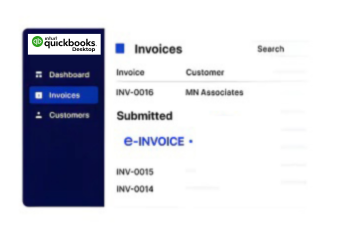
  • Processing Result Association: Returned fiscal information can be associated with the originating QuickBooks Desktop transaction for convenient accounting reference.
Affordable pricing for SMEs

Simple, Transparent Pricing

Starting from as low as

RM 20

The Advintek Layer for QuickBooks Desktop

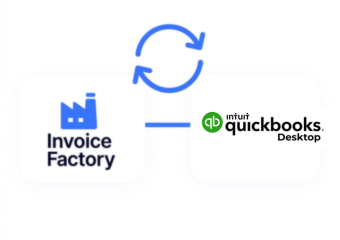
QuickBooks Desktop remains the accounting workspace for customer transactions, inventory, estimates, and receivables. Advintek provides the integration layer that helps applicable billing information participate in Uganda’s EFRIS workflow.

What is Advintek's e-invoice connector for Zoho Books
sap e invoicing for compliance sap einvoicing sap einvoice

Operational Value Around QuickBooks Desktop

  • Familiar Accounting Routines: Finance teams can continue working within established QuickBooks Desktop billing and accounting routines.
  • Order Context Visibility: Sales orders and estimates provide useful commercial background for transactions progressing into customer invoices.
  • Structured Correction Records: Credit memos offer structured records when previously issued customer transactions require downward adjustments.
  • Recurring Billing Support: Memorized transactions can support recurring accounting activity without rebuilding familiar transaction details each time.
  • Consistent Item Information: Configured item descriptions, quantities, and pricing can provide consistent information across applicable billing records.
  • Connected Fiscal History: Relevant processing information can remain associated with source transactions for easier accounting review.
Powerful features

One Compliance Layer for Every Invoice

Built for UAE Businesses Using QuickBooks

QuickBooks Desktop for Uganda Businesses

QuickBooks Desktop suits businesses managing customer jobs, estimates, sales orders, inventory items, receivables, and established company-file accounting processes. Advintek adds a fiscal processing layer around applicable transactions destined for Uganda’s EFRIS environment.

QuickBooks Desktop and Uganda EFRIS

Fiscal Processing Around Accounting Records

Advintek helps align applicable QuickBooks Desktop billing activity with Uganda’s EFRIS processing requirements.

QuickBooks Desktop manages accounting. Advintek supports fiscal operations.

Ready e-Invoice System

0 % URA

Frequently Asked Questions QuickBooks Desktop e-Invoicing Uganda

Where do sales receipts fit into EFRIS processing?

Sales receipts record customer sales where payment is received at the time of transaction. Applicable sales information can be reviewed through the Advintek workflow when fiscal processing is required, allowing businesses to retain established QuickBooks Desktop sales practices while supporting relevant Uganda EFRIS requirements.

Customer:Job records provide context around customers, projects, and related billing activity in QuickBooks Desktop. When applicable invoices are created from this information, Advintek can assess relevant transaction details and support their movement through the appropriate Uganda fiscal processing workflow.

Invoices and sales receipts can represent different customer billing situations within QuickBooks Desktop, while credit memos may document later adjustments. Advintek can assess applicable transaction records according to their purpose, helping relevant information follow the appropriate EFRIS processing path for Uganda businesses.

Maintaining accounting context helps finance teams understand why an invoice was changed and which customer transaction it relates to. QuickBooks Desktop can retain the underlying accounting records, while Advintek can process applicable updated information through the connected Uganda EFRIS workflow.

Historical records can provide useful background when finance teams examine previous customer transactions, billing activity, or accounting entries. Businesses can retain those records within QuickBooks Desktop while using applicable current transaction information through Advintek for ongoing Uganda EFRIS processing and fiscal record management.