Why Infor SyteLine Users Trust Advintek
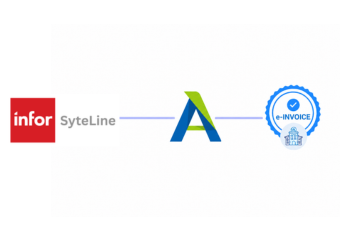
How Does Infor SyteLine Connect With EFRIS
- Capture Customer Orders: Infor SyteLine records customer orders, products, quantities, pricing, and related sales information.
- Confirm Sales Details: Completed order information is consolidated with applicable customer, tax, and invoice data.
- Prepare Invoice Information: Advintek collects relevant Infor SyteLine data required for the connected fiscal workflow.
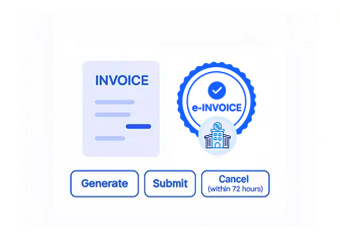
- Process EFRIS Transactions: Advintek routes eligible invoice information through the Uganda EFRIS processing environment.
- Receive Fiscal Responses: Applicable fiscal references and processing responses are returned through the connected integration.
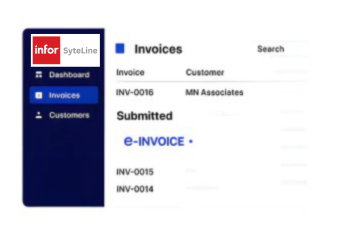
- Update ERP Records: Relevant fiscal information can support continued invoice tracking within Infor SyteLine workflows.
Why Connect Advintek With Infor SyteLine
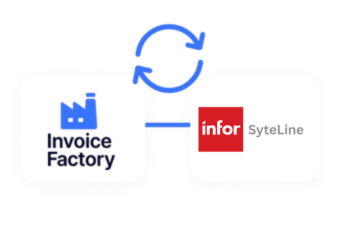
Advintek extends Infor SyteLine’s ERP capabilities by connecting manufacturing invoice data with Uganda EFRIS, supporting fiscal processing without disrupting established operational workflows.
- Connect sales invoices with fiscal processing.
- Prepare manufacturing transactions for EFRIS.
- Reduce repeated invoice data handling.
- Improve visibility across fiscal records.
What Can Infor SyteLine Integration Improve
- Efficient Invoice Preparation: Simplify invoice preparation by connecting completed sales information with Uganda electronic invoicing workflows for faster processing.
- Consistent Customer Records: Maintain aligned customer, product, tax, and transaction information across ERP and connected fiscal processes.
- Structured EFRIS Processing: Provide finance teams with a defined route for handling applicable Uganda EFRIS invoice transactions through Advintek.
- Accessible Fiscal Information: Make relevant invoice and fiscal details easier to review across connected business records during routine reconciliation.
- Reduced Data Duplication: Minimize repeated entry when transferring manufacturing sales information into electronic invoice workflows for fiscal processing.
- Improved Transaction Oversight: Give teams clearer visibility into invoice processing activity and associated fiscal information through connected workflows.
What Infor SyteLine Gets for Uganda E-Invoicing
Exception Resolution
Connect customer orders and completed sales information from Infor SyteLine with Advintek’s fiscal invoicing workflow.
Centralized Monitoring
Use Advintek to connect applicable ERP invoice information directly with Uganda’s EFRIS environment.
Compliance Support
Support clearer access to invoice processing information while working within established Infor SyteLine records.
How Can Infor SyteLine Support Uganda EFRIS
Infor SyteLine manages manufacturing and commercial transactions, while Advintek connects relevant invoice information with Uganda’s EFRIS fiscal invoicing framework.
- Prepare sales transactions for EFRIS.
- Route invoice information through Advintek.
- Capture applicable fiscal references.
- Support organized manufacturing invoicing.
Meet Uganda Fiscal Requirements Accurately
Support manufacturing finance workflows with connected fiscal processing built around your ERP.
Connect Infor SyteLine with Advintek for e-invoice processing in Uganda.
Ready e-Invoice System
FAQs Infor SyteLine and Uganda E-Invoicing
What role does Infor SyteLine play in Uganda e-invoicing?
Infor SyteLine manages core manufacturing and commercial information, including customer orders, products, sales, and invoice-related transactions. When connected with Advintek, relevant ERP data can enter a dedicated fiscal workflow for Uganda EFRIS processing. This allows businesses to extend existing SyteLine operations into electronic invoicing without replacing their ERP.
How does Advintek work with Infor SyteLine?
Advintek serves as the fiscal integration layer between Infor SyteLine and Uganda’s EFRIS environment. It connects applicable invoice information from the ERP, prepares relevant transaction data, supports fiscal processing, and returns applicable responses. This creates a defined connection between manufacturing ERP activities and Uganda’s electronic invoicing requirements.
Which Infor SyteLine transactions can enter the EFRIS workflow?
Applicable sales and invoice transactions generated from Infor SyteLine can be connected to the EFRIS workflow through Advintek. Relevant information may include customer details, products, quantities, taxes, and invoice values. The configured integration determines which transactions and fields are transferred for fiscal invoice processing.
Can manufacturers continue using Infor SyteLine after EFRIS integration?
Yes. Businesses can continue using Infor SyteLine for manufacturing, order management, inventory, sales, and related operations. Advintek operates as the connection layer for fiscal invoicing, allowing existing ERP processes to remain in place while relevant invoice information is prepared and processed through the Uganda EFRIS workflow.
How does Infor SyteLine integration help manufacturing finance teams?
Connecting Infor SyteLine with Advintek gives finance teams a more structured method for handling fiscal invoices generated from manufacturing and sales activities. Relevant ERP information can flow into the EFRIS process through the integration, reducing disconnected data handling while improving access to associated invoice and fiscal transaction information.