Compliance That Fits Odoo Users
How Does Odoo Connect With Uganda EFRIS
- Create Customer Orders: Odoo records customers, products, quantities, prices, taxes, and other relevant details during the sales process.
- Confirm Sales Transactions: Completed orders are converted into appropriate invoice information within the established Odoo accounting workflow.
- Collect Invoice Records: Advintek retrieves applicable invoice information from Odoo through the configured integration process.
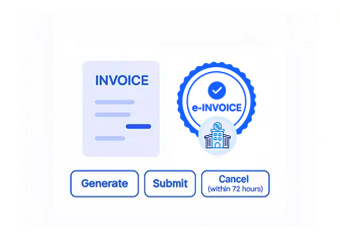
- Prepare Fiscal Information: Relevant invoice details are carefully structured for Uganda’s electronic fiscal invoicing requirements.
- Submit EFRIS Transactions: Advintek routes eligible invoice information through the connected Uganda EFRIS environment for fiscal processing.
- Return Fiscal Details: Applicable fiscal references and processing responses become available for continued invoice record management and reconciliation.
Why Trust Advintek For Odoo
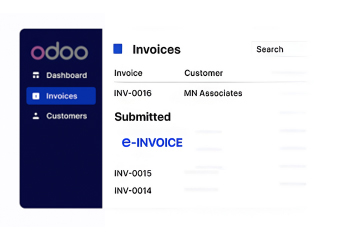
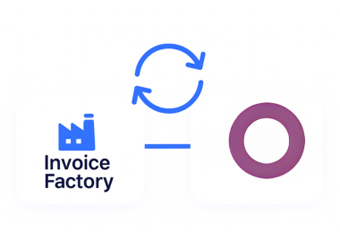
Advintek connects Odoo’s business applications with Uganda EFRIS, creating a dedicated fiscal pathway around existing accounting and operational workflows.
- Extend Odoo into Uganda e-invoicing.
- Connect accounting records with EFRIS.
- Simplify electronic invoice preparation.
- Improve access to fiscal information.
What Odoo Functions Benefit From Integration
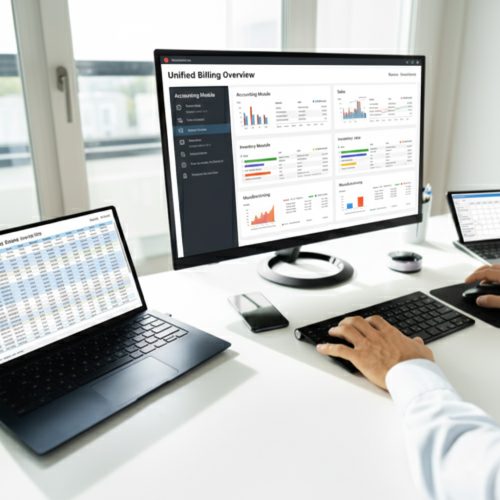
- Accounting Invoice Management: Connect Odoo accounting records with Advintek to support organized fiscal invoice processing activities.
- Sales Order Conversion: Use confirmed Odoo sales information as the foundation for applicable electronic invoice transactions.
- Product Catalog Integration: Reuse product and service information already maintained within Odoo during invoice preparation.
- Customer Billing Coordination: Carry relevant customer details into connected fiscal invoice workflows with greater consistency.
- Purchase Information Organization: Maintain purchasing and supplier records separately while connecting applicable business transactions to broader fiscal processes.
- Tax Configuration Support: Use configured Odoo tax information as part of the relevant invoice data prepared for processing.
Everything You Need for Uganda E-Invoicing in One Place
Real-Time Issue Handling
Connect Odoo accounting and sales information with Advintek for Uganda-focused electronic fiscal invoicing.
Centralized Invoice Visibility
Use relevant information from Odoo business modules when preparing applicable invoice transactions.
Compliance Assistance
Transfer invoice data and receive applicable processing details through the Advintek connection.
How Can Odoo Support Uganda
Odoo manages business transactions across connected modules, while Advintek links applicable invoice information with Uganda’s EFRIS fiscal processing environment.
- Prepare Odoo invoices for EFRIS.
- Transfer selected records through Advintek.
- Associate fiscal details with transactions.
- Support organized Uganda e-invoicing workflows.
Start Simplifying Uganda e-Invoicing Today
Connect Odoo with Advintek for structured electronic invoice processing across Uganda business operations.
Connect Odoo with Uganda EFRIS invoicing workflows.
Ready e-Invoice System
Frequently Asked Questions Odoo E-Invoicing Uganda
Can Odoo combine information from multiple modules for invoicing?
Odoo connects functions such as sales, accounting, inventory, purchasing, and customer management within one business environment. Relevant information from these modules can support applicable invoice records. Through Advintek, selected invoice data can then enter the Uganda EFRIS workflow, helping businesses coordinate fiscal processing with their broader Odoo operations.
How can Odoo help manage invoices for different business locations?
Organizations using Odoo across multiple business locations can maintain their operational records within the ERP while applying appropriate invoice configurations. Advintek can connect eligible invoice information with Uganda EFRIS processing. This provides a structured fiscal route while allowing location-specific business activities to remain organized within Odoo.
Can Odoo product variants appear in electronic invoices?
Relevant product or service information maintained through Odoo can contribute to applicable electronic invoice records, including configured item details and quantities. Advintek connects the required information with the fiscal workflow. This helps businesses use existing product data rather than repeatedly reconstructing invoice information outside their ERP.
How can Odoo help manage invoice cancellations or adjustments?
Odoo provides tools for managing invoice records and related accounting adjustments within its business workflows. Where a transaction requires correction, applicable information can be handled according to the configured process before or during fiscal processing. Advintek provides the connection for transferring relevant invoice information within the Uganda EFRIS workflow.
Can Odoo support fiscal invoicing for service-based businesses?
Yes. Odoo can manage service products, customer records, sales transactions, and accounting information that may form part of applicable invoices. Advintek can connect relevant service invoice data with Uganda EFRIS processing, giving service-oriented organizations a structured route from Odoo billing activities to electronic fiscal invoicing.