Compliance That Fits YonBIP Users
How Can YonBIP Support EFRIS Processing
- Identify Billing Transactions: Relevant YonBIP invoices, credit notes, and adjustments are identified from established billing and transaction activity records for further processing.
- Review Commercial Information: Customer, item, invoice, and applicable transaction details are carefully checked for completeness before fiscal preparation begins.
- Prepare Fiscal Transactions: Applicable billing information is organized according to the connected fiscal workflow and Uganda processing requirements for accurate submission.
- Structure EFRIS Information: Advintek prepares and structures relevant YonBIP transaction data for processing through Uganda’s EFRIS environment and fiscal requirements.
- Process Fiscal Submission: Prepared transaction information moves through the applicable URA workflow for fiscal processing, validation, and response handling.
- Record Returned Information: Fiscal responses can remain associated with corresponding YonBIP transaction records for reference, reconciliation, and subsequent business review.
Why Should YonBIP Connect With Advintek
Advintek connects YonBIP transactions with Uganda’s EFRIS environment, helping businesses prepare billing information, support fiscal processing, and reference returned records clearly.
- Connect YonBIP transactions with Advintek.
- Prepare relevant invoices for EFRIS processing.
- Support structured fiscal information submission.
- Reference returned details against transactions.
What Benefits Does YonBIP Integration Offer
- Connected Invoice Preparation: Relevant YonBIP billing information can enter the fiscal workflow through an organized and reliable Advintek connection.
- EFRIS Data Organization: Advintek helps structure applicable transaction information before it proceeds through Uganda’s electronic fiscal processing environment.
- Better Transaction Traceability: Connected processing makes relevant billing and fiscal information easier to reference during ongoing finance and reconciliation activities.
- Adaptable Billing Workflows: The integration can accommodate applicable invoices, adjustments, credit notes, and different customer billing situations across business operations.
- Reduced Process Separation: Existing YonBIP billing activities can remain directly connected with the fiscal processing stage through Advintek.
- Clearer Fiscal Coordination: Relevant transaction information follows a defined and structured route between YonBIP and Uganda’s applicable fiscal workflow.
Everything You Need for Uganda E-Invoicing in One Place
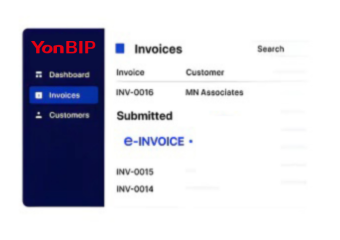
Real-Time Validation Feedback
Access relevant YonBIP transaction information while supporting connected Uganda fiscal processing activities.
Centralized Operation Control
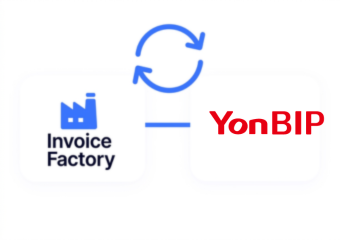
Advintek creates a structured route between YonBIP billing information and Uganda’s EFRIS environment.
Continuous Compliance Support
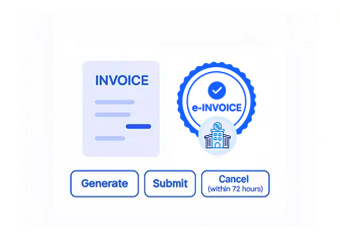
Returned fiscal details can be connected with applicable YonBIP transactions for easier reference.
How Does YonBIP Align With Uganda E-Invoicing
Advintek connects YonBIP transaction information with Uganda’s EFRIS workflow, helping organize fiscal data, support submission activities, and associate returned information with relevant billing records.
- Identify applicable YonBIP billing transactions.
- Organize information required for EFRIS.
- Support fiscal submission through connected workflows.
- Reference returned details against ERP records.
With Uganda e-Invoicing inside YonBIP
Connect YonBIP with Advintek for structured Uganda e-invoicing workflows.
Start building a connected EFRIS process today.
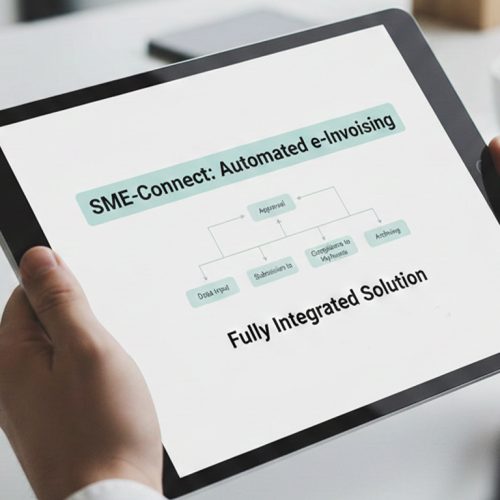
Ready e-Invoice System
FAQs About YonBIP E-Invoicing Uganda
1. What role does YonBIP play in Uganda e-invoicing?
YonBIP provides the underlying business and transaction information used within the connected invoicing workflow. Advintek helps take applicable YonBIP billing data into Uganda’s EFRIS processing environment. This creates a structured connection between ordinary ERP activities and fiscal processing without separating relevant transaction information from established business records.
2. How can businesses connect YonBIP with Uganda EFRIS?
Businesses can use Advintek as the integration layer between YonBIP and Uganda’s EFRIS environment. Relevant transaction information is prepared and structured before entering the fiscal workflow. The connection helps support applicable submission activities while allowing corresponding fiscal information to remain associated with the originating YonBIP records.
3. Can YonBIP handle invoice adjustments through Advintek?
Applicable YonBIP adjustments can be incorporated into the connected fiscal workflow when they meet the relevant processing requirements. Advintek helps organize adjustment information and maintain its relationship with the associated transaction. This supports clearer handling of billing corrections, credit notes, and other applicable changes within the connected invoicing process.
4. How are EFRIS responses tracked against YonBIP transactions?
Returned fiscal information can be associated with the relevant YonBIP transaction through the connected Advintek workflow. This gives finance teams a clearer reference when reviewing processed invoices and fiscal responses. Keeping these details connected can also make subsequent transaction checks and internal record reviews more organized.
5. Why use Advintek for YonBIP Uganda invoicing?
Advintek helps connect YonBIP’s established transaction processes with Uganda’s EFRIS environment through a structured fiscal workflow. Relevant billing information can be prepared, processed, and associated with returned fiscal details. This allows businesses to support Uganda e-invoicing activities while continuing to work with their existing ERP-based billing operations.