Compliance Built for Automated Invoice Operations
How Microsoft Power Automate Reaches EFRIS
- Flow Trigger Activation: A configured Microsoft Power Automate trigger identifies a transaction requiring fiscal processing.
- Business Data Collection: Relevant information is gathered from connected applications, records, forms, or business systems.
- Information Validation: Defined workflow conditions can check required information before the transaction proceeds further.
- Fiscal Data Preparation: Advintek organizes applicable transaction information for Uganda’s electronic invoicing requirements.
- EFRIS Data Exchange: Prepared information proceeds through the connected Advintek route toward EFRIS.
- Workflow Response Handling: Available responses can initiate configured actions within the connected Power Automate workflow.
What Advintek Adds To Microsoft Power Automate
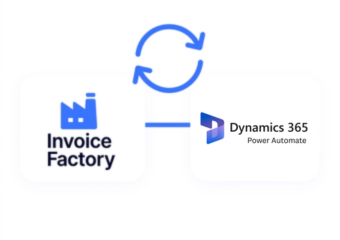
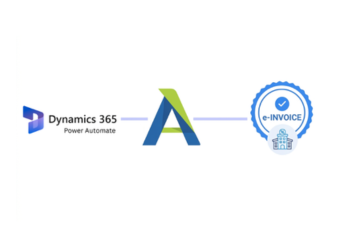
Advintek provides the fiscal connection layer between Microsoft Power Automate and Uganda’s EFRIS environment, allowing automated business workflows to incorporate structured electronic invoicing processes.
- Connects automated flows with EFRIS
- Routes relevant transaction information
- Converts invoices into structured compliant formats
- Returns applicable workflow responses
Why Microsoft Power Automate Fits Uganda
- Flexible Flow Triggers: Microsoft Power Automate can start workflows from defined events, scheduled actions, or changes across connected business applications.
- Connected Business Applications: Its connector ecosystem allows information to move between Microsoft services and other applications involved in commercial processes.
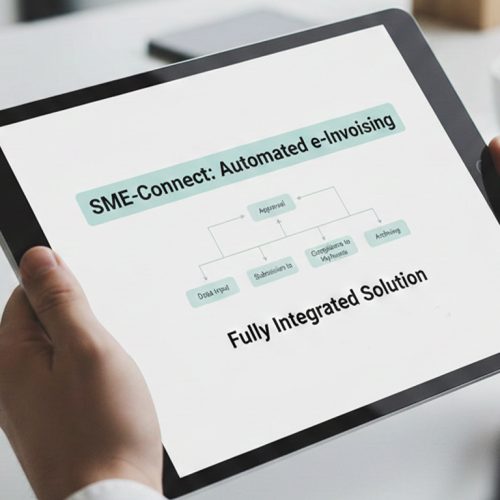
- Approval Stages: Organizations can introduce review points where selected transactions require confirmation before continuing toward fiscal processing.
- Conditional Workflow Paths: Business rules can direct transactions through different routes depending on available information, transaction characteristics, or processing outcomes.
- Automated Notifications: Workflow actions can notify responsible users when transactions require attention, review, correction, or follow-up.
- Cross-System Coordination: Power Automate can coordinate actions across multiple applications, helping connect operational processes with the fiscal workflow handled through Advintek.
Complete Control Over Uganda E-Invoicing Workflows in One Platform
Error Detection and Resolution Support
Start fiscal processing when defined business events occur across connected applications.
Dashboard and Reporting
Route selected transactions through configured review stages before continuing toward EFRIS processing.
Dedicated e-Invoicing Support
Coordinate relevant information between Power Automate, connected business applications, Advintek, and EFRIS.
Designed For Microsoft Power Automate Users In Uganda
Power Automate provides the workflow orchestration layer, while Advintek connects applicable automated processes with Uganda’s electronic invoicing environment.
- Automate fiscal workflow initiation
- Coordinate connected business applications
- Route transactions toward EFRIS
- Track workflow processing responses
Streamline Your Uganda Invoice Workflows
Advintek extends Microsoft Power Automate workflows with a structured route toward EFRIS.
Automate processes while connecting transactions with fiscal processing.
Ready e-Invoice System
Frequently Asked Questions Power Automate e-Invoicing Uganda
Can Microsoft Power Automate connect with Uganda’s EFRIS?
Microsoft Power Automate can coordinate business workflows across connected applications, while Advintek provides the integration layer for applicable EFRIS processing. Uganda Revenue Authority supports system-to-system connections for computerized business systems through API-based integration, allowing transaction information to be exchanged with EFRIS.
How can Power Automate trigger an EFRIS workflow?
A configured Power Automate flow can begin when a defined business event occurs within a connected application. Relevant transaction information can then pass through configured workflow steps, allowing Advintek to prepare applicable information for EFRIS processing and coordinate available responses.
Can Power Automate include approval steps before invoicing?
Yes. Power Automate supports workflow-based approvals, allowing organizations to introduce review stages before selected business information proceeds toward fiscal processing. This can help establish internal validation procedures for transactions requiring additional confirmation before Advintek processes applicable information through the EFRIS connection.
What information can Power Automate workflows use?
The information available depends on the connected applications and configured workflow. Power Automate can work with data from connected services, forms, Dataverse, Microsoft applications, and other supported systems. Advintek can then use applicable transaction information required for the connected fiscal workflow.
Does Advintek replace Microsoft Power Automate?
No. Advintek complements Power Automate by providing the fiscal integration layer for Uganda’s EFRIS environment. Power Automate can continue handling workflow orchestration, triggers, approvals, notifications, and connected application actions while Advintek manages the applicable electronic invoicing connection.