Compliance Built for Power Apps Business Operations
How Microsoft Power Apps Works With EFRIS
- Transaction Inputs Captured: Custom Microsoft Power Apps forms collect applicable business information from users and operational teams.
- Business Data Validated: Relevant customer, service, product, and transaction fields are checked before processing.
- Invoice Information Prepared: Qualified data is organized into structured information for electronic fiscal processing.
- EFRIS Data Submitted: Prepared invoice information is transmitted through the Advintek integration connection.
- Fiscal Details Returned: Available EFRIS responses are received and routed through the connected workflow.
- Application Records Referenced: Fiscal information can be associated with the originating Microsoft Power Apps transaction.
What Advintek Adds To Microsoft Power Apps
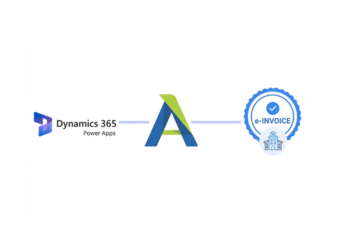
Advintek extends custom Microsoft Power Apps solutions with a fiscal integration layer, connecting application-generated transaction information to Uganda EFRIS without changing how organizations design their business applications.
- Maps application fields for processing
- Supports structured fiscal submissions
- Routes returned fiscal information
- Links invoices with app records
Why Microsoft Power Apps Data Matters For EFRIS
- Custom Forms Capture: Organizations can design forms around the exact transaction information required by their business processes.
- Workflow Logic Guides: Configured application logic can direct information through appropriate validation and fiscal preparation stages.
- User Roles Differentiate: Microsoft Power Apps permissions and roles can help determine who creates, reviews, or approves transaction information.
- Business Records Connect: Application records can provide useful operational context for electronic fiscal documentation.
- Field Mapping Organizes: Relevant Microsoft Power Apps fields can be mapped into structured information for connected EFRIS processing.
- Process Visibility Improves: Connected workflows can help teams follow transaction progress across application and fiscal processing stages.
Complete Control Over Uganda E-Invoicing Workflows in One Platform
Error Detection and Resolution Support
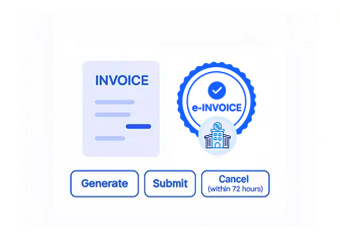
Configure Power Apps workflows to capture relevant business information for connected e-fiscal processing.
Dashboard and Reporting
Map selected application fields into structured information suitable for EFRIS-related transaction workflows.
Dedicated e-Invoicing Support
Associate available fiscal responses with originating application records for easier operational reference.
Who Can Use Microsoft Power Apps EFRIS Integration
Advintek supports organizations using custom Microsoft Power Apps applications by connecting qualifying transaction workflows with Uganda EFRIS through structured fiscal data exchange.
- Businesses using custom Power Apps
- Teams building internal transaction applications
- Organizations digitizing operational processes
- Enterprises requiring connected fiscal workflows
Microsoft Power Apps Compliance Without Disruption
Extend your custom Power Apps environment with connected Uganda electronic invoicing workflows.
Connect Microsoft Power Apps Data With Uganda EFRIS.
Ready e-Invoice System
Frequently Asked Questions Power Apps e-Invoicing Uganda
What happens when a Microsoft Power Apps transaction needs fiscal processing in Uganda?
A transaction created inside a custom Microsoft Power Apps solution can pass through Advintek for applicable fiscal processing. The connector interprets the configured business information, prepares the required electronic invoice data, and facilitates exchange with EFRIS, allowing the application to remain focused on its intended business process.
Which business processes can trigger invoicing from a Microsoft Power App?
Organizations can design Power Apps around many operational scenarios, such as sales requests, service activities, order fulfillment, or internal transaction capture. When an eligible process produces invoice information, Advintek can connect that application event with the appropriate EFRIS workflow instead of requiring users to recreate the transaction elsewhere.
Where should EFRIS-related information appear inside a custom application?
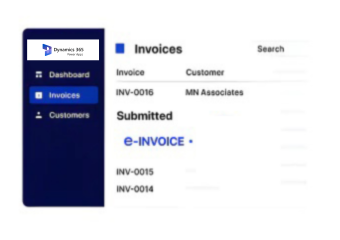
The placement depends on how the Microsoft Power Apps solution is designed. Fiscal references, processing results, or related invoice information can be incorporated into suitable screens, forms, or records. Advintek can support the underlying exchange, giving organizations flexibility to present relevant fiscal information within their existing application experience.
How can organizations design Microsoft Power Apps without rebuilding their invoicing process?
Businesses can retain their existing application architecture and identify the transaction points that require fiscal processing. Advintek can then connect those selected events with EFRIS through configured data mapping and exchange workflows, reducing the need to redesign unrelated application features or change the broader user experience.
What makes Advintek useful for organizations developing Microsoft Power Platform solutions?
Custom applications often differ significantly between organizations, making a fixed invoicing workflow unsuitable for every business. Advintek provides a dedicated connection between application-specific transaction logic and Uganda EFRIS, allowing developers and business teams to preserve their chosen Power Apps structure while supporting fiscal requirements.