Compliance Built for Workday Financial Operations
How Workday Connects With EFRIS
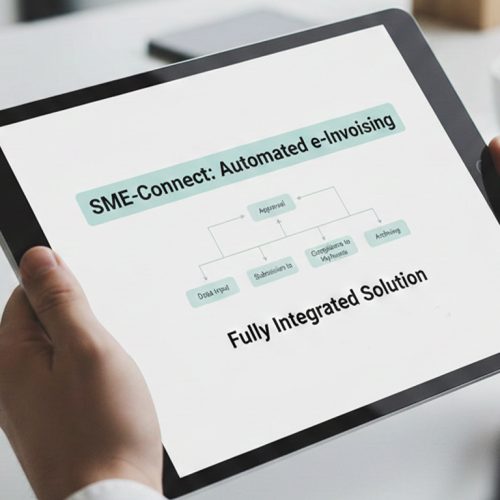
- Invoice Event Starts: A qualifying Workday customer invoice transaction initiates the connected fiscal workflow.
- Financial Data Gathered: Applicable customer, invoice, worktag, organization, and transaction information is collected.
- Business Rules Applied: Advintek organizes relevant Workday information according to the configured fiscal workflow.
- EFRIS Submission Begins: Prepared transaction information is transmitted through the connected EFRIS integration.
- Fiscal Response Arrives: Available EFRIS information is returned through the integration after processing.
- Workday Context Retained: Relevant fiscal references can remain associated with the originating Workday transaction.
What Advintek Enhances in Workday
Advintek provides the connection between Workday financial processes and Uganda’s EFRIS environment, allowing applicable invoice information to travel through a structured fiscal workflow without replacing Workday’s existing business process framework.
- Connects Workday invoices with EFRIS
- Organizes financial information for submission
- Supports structured fiscal data exchange
- Relates EFRIS results to transactions
Why Workday Supports Fiscal Processing
- Customer Invoices Establish Billing: Workday customer invoice processes provide structured information that can serve as the starting point for qualifying fiscal workflows.
- Business Processes Control Routing: Workday business processes can define tasks, approvals, sequencing, and responsible roles around invoice-related activities.
- Worktags Add Financial Context: Worktags can classify transactions across organizational and financial dimensions, providing additional context for applicable invoice information.
- Supplier Records Support Transactions: Supplier invoice information can contribute useful financial context where business transactions require connected fiscal documentation.
- Customer Accounts Centralize Details: Customer account information can help identify and organize billing transactions before they enter the EFRIS workflow.
- Accounting Links Extend Visibility: Related accounting information can help finance teams review fiscal activity alongside the originating Workday transaction.
Complete Control Over Uganda E-Invoicing Workflows in One Platform
Error Detection and Resolution Support
Connect qualifying Workday customer invoice information with Uganda’s fiscal processing environment.
Dashboard and
Reporting
Map relevant Workday classifications alongside transaction information entering the connected workflow.
Dedicated e-Invoicing Support
Coordinate configured Workday invoice processes with the Advintek fiscal integration layer.
Workday Solutions for Businesses Across Uganda
Organizations using Workday Financial Management for structured customer invoicing and financial operations can connect qualifying transactions with Uganda’s EFRIS environment through Advintek.
- Workday finance teams
- Service-oriented organizations
- Multi-entity enterprises
- Computerized accounting environments
Start Workday Uganda Integration
Activate Workday Financial Management with Advintek for Uganda’s EFRIS environment.
Extend existing Workday invoice workflows into EFRIS.
Ready e-Invoice System
Frequently Asked Questions Workday e-Invoicing Uganda
How can Workday Financial Management support Uganda e-invoicing?
Workday Financial Management provides customer invoicing, accounting, business processes, and transaction classifications that can supply information for electronic fiscal workflows. Advintek can connect applicable Workday transactions with Uganda’s EFRIS environment, helping organizations organize relevant invoice information and establish a structured route for fiscal processing from their existing financial platform.
Can Workday customer invoices be connected to Uganda EFRIS?
Yes. Workday customer invoice processes can provide structured billing information suitable for a connected fiscal workflow. Advintek can transmit applicable invoice data toward EFRIS, helping organizations associate customer, transaction, organizational, and financial information with electronic fiscal processing while continuing to manage customer invoicing through Workday Financial Management.
What Workday data is relevant for EFRIS integration?
Relevant Workday information may include customer details, invoice attributes, transaction amounts, worktags, organizational references, and other configured financial data. Advintek can map applicable information into the connected EFRIS workflow, helping businesses structure qualifying invoice records without requiring finance teams to recreate transaction information in a separate system.
Does Workday business process configuration affect e-invoicing workflows?
Workday business processes define tasks, sequencing, approvals, and responsible roles for many financial activities. Advintek can work alongside these configured processes by connecting qualifying invoice information with EFRIS. This allows organizations to retain their established Workday controls while extending applicable customer invoice transactions into Uganda’s electronic fiscal environment.
Why use Advintek for Workday EFRIS integration in Uganda?
Advintek provides an integration layer between Workday financial operations and Uganda’s EFRIS environment. It can connect applicable customer invoice information, classifications, and transaction references with fiscal processing, helping organizations extend their existing Workday setup while establishing a structured route for electronic invoicing within Uganda’s EFRIS framework.