Compliance That Fits Microsoft Dynamics Business Central Users
How Does Microsoft Dynamics 365 Business Central Connect With Uganda
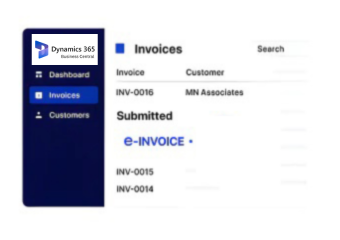
- Create Sales Documents: Microsoft Dynamics 365 Business Central records customers, items, quantities, prices, taxes, and transaction information within the ERP.
- Post Invoice Transactions: Completed sales and billing activities generate the relevant accounting and invoice records.
- Collect Required Details: Advintek receives applicable invoice information from the configured Microsoft Dynamics 365 Business Central integration.
- Prepare Fiscal Data: Relevant records are structured for the connected Uganda electronic invoicing workflow.
- Process EFRIS Invoices: Advintek routes eligible invoice information through the Uganda EFRIS processing environment.
- Return Fiscal Information: Applicable fiscal references and responses are made available for continued invoice management.
Why Integrate Advintek With Microsoft Dynamics 365 Business Central?
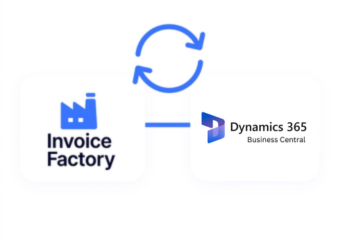
Advintek extends Microsoft Dynamics 365 Business Central with a fiscal connection that links ERP invoice records to Uganda EFRIS processing.
- Connect Business Central invoices with EFRIS.
- Extend ERP workflows into e-invoicing.
- Reduce repetitive fiscal data handling.
- Improve invoice processing visibility.
What Can Microsoft Dynamics 365 Business Central Integration Enhance?
- Streamlined Sales Invoicing: Connect posted sales transactions with a structured e-invoicing workflow for applicable Uganda fiscal records.
- Connected Accounting Processes: Align invoice information with Microsoft Dynamics 365 Business Central financial records throughout the fiscal processing cycle.
- Efficient Item Data Usage: Reuse relevant product and service information already maintained within Business Central during invoice preparation.
- Organized Customer Billing: Coordinate customer and billing information across ERP and electronic invoicing activities.
- Simplified Tax Information Flow: Carry applicable tax details into the connected fiscal process without recreating invoice information.
- Improved Document Traceability: Help teams associate processed fiscal information with the Microsoft Dynamics 365 Business Central transactions behind each invoice.
Complete Control Over Uganda E-Invoicing Workflows in One Platform
Error Detection and Resolution Support
Connect Microsoft Dynamics 365 Business Central financial and sales documents with Advintek’s Uganda fiscal invoicing workflow.
Dashboard and Reporting
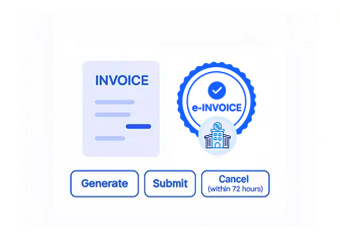
Prepare relevant Microsoft Dynamics 365 Business Central invoice records for electronic processing through the EFRIS connection.
Dedicated e-Invoicing
Support
Support access to applicable fiscal information alongside established Microsoft Dynamics 365 Business Central transaction records.
How Can Microsoft Dynamics 365 Business Central Support Uganda EFRIS?
Business Central manages financial and commercial records, while Advintek connects applicable invoice transactions with Uganda’s EFRIS fiscal invoicing environment.
- Prepare posted invoices for EFRIS.
- Transfer relevant ERP information through Advintek.
- Associate fiscal references with transactions.
- Support structured Uganda electronic invoicing.
Simplify Uganda Fiscal Invoicing
Connect Microsoft Dynamics 365 Business Central with Advintek for organized EFRIS invoice processing.
Connect your Business Central with Uganda e-invoicing workflows.
Ready e-Invoice System
Frequently Asked Questions Microsoft Dynamics e-Invoicing Uganda
Which Microsoft Dynamics 365 Business Central records can initiate an EFRIS invoice?
Microsoft Dynamics 365 Business Central records such as sales documents, customer information, item details, quantities, tax values, and invoice totals can provide source data for fiscal processing. Advintek connects the relevant information with Uganda EFRIS, allowing businesses to use existing ERP records as the foundation for electronic invoice generation.
Can Microsoft Dynamics 365 Business Central support invoices created from recurring sales?
Microsoft Dynamics 365 Businesses managing repeat sales activities within Business Central can connect applicable invoice records with Advintek’s fiscal workflow. Relevant transaction information can be transferred for EFRIS processing according to the configured integration. This helps organizations handle recurring billing activities while maintaining their established Business Central processes and records.
How are Microsoft Dynamics 365 Business Central customer details used during fiscal processing?
Customer information maintained in Microsoft Dynamics 365 Business Central can contribute to applicable electronic invoice records. Advintek can transfer configured customer and transaction details into the fiscal workflow, helping maintain consistency between ERP records and submitted invoices. This reduces the need to repeatedly enter customer information during routine Uganda e-invoicing activities.
Can Microsoft Dynamics 365 Business Central users track fiscal information alongside invoices?
Relevant fiscal responses can be associated with the corresponding Microsoft Dynamics 365 Business Central invoice information through the integration. This provides users with stronger continuity between the original commercial transaction and its fiscal processing details. Finance teams can therefore work with familiar ERP records while maintaining access to information generated during EFRIS processing.
What role does Advintek play between Microsoft Dynamics 365 Business Central and EFRIS?
Advintek functions as the dedicated connection layer linking Microsoft Dynamics 365 Business Central with Uganda EFRIS. It handles the movement and preparation of applicable invoice information for fiscal processing, while Business Central continues managing core ERP activities. This creates a defined pathway between everyday business transactions and electronic fiscal invoicing.