Compliance That Fits NetSuite Users
How Oracle NetSuite Connects With Uganda EFRIS
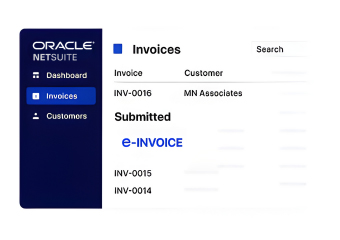
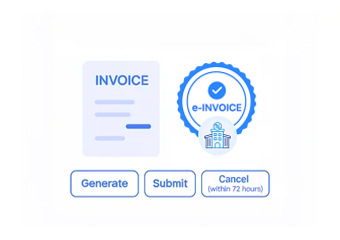
- Invoice Records Selected: Applicable NetSuite invoices are identified for electronic fiscal processing.
- Financial Fields Gathered: Relevant customer, subsidiary, tax, currency, and transaction information is collected.
- Fiscal Data Formatted: Selected NetSuite information is organized into structured electronic invoice data.
- EFRIS Submission Initiated: Prepared fiscal information is exchanged through the Advintek integration layer.
- Fiscal Response Captured: Available EFRIS processing information is returned through the connected workflow.
- NetSuite Records Referenced: Relevant fiscal details can be associated with originating NetSuite transactions.
What Advintek Gains From Oracle NetSuite
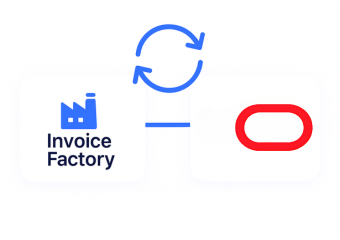
Advintek creates a connection between Oracle NetSuite financial operations and Uganda EFRIS, translating applicable transaction information into structured fiscal workflows while allowing finance teams to continue working within their established NetSuite environment.
- Structures information for fiscal exchange
- Handles returned EFRIS information
- Associates fiscal references with transactions
- Supports multi-entity financial environments
Why Oracle NetSuite Financial Data Matters
- Invoice Information Guides: Relevant invoice fields establish the foundation for applicable electronic fiscal documentation and processing requirements.
- Subsidiary Records Clarify: Entity information helps identify which NetSuite business unit relates to each transaction within the organization.
- Tax Details Strengthen: Configured tax information provides important context during fiscal invoice preparation and transaction validation processes.
- Customer Accounts Identify: Account records help connect invoice documentation with the appropriate customer relationship and billing activity details.
- Accounting Context Supports: Related financial information can assist teams when reviewing fiscal transactions against broader accounting records and reporting requirements.
- Currency Information Distinguishes: Transaction currency details help provide additional context for applicable cross-border or multi-currency business activity and invoice processing.
Everything You Need for Uganda E-Invoicing in One Place
Live Validation Feedback
Connect selected NetSuite invoice fields with structured information required for EFRIS processing.
Unified Reporting Interface
Support fiscal workflows that recognize applicable business entities within NetSuite financial operations.
Compliance Support
Associate returned fiscal information with relevant NetSuite transactions for ongoing financial reference.
Who Can Connect Oracle NetSuite With EFRIS?
Advintek supports Oracle NetSuite users by linking applicable financial transactions with Uganda EFRIS through structured electronic fiscal processing and connected transaction workflows.
- Businesses using NetSuite financial management
- Multi-subsidiary organizations operating in Uganda
- Finance teams managing electronic invoicing
- Enterprises requiring structured fiscal exchange
Start Your Uganda EFRIS Connection
Extend Oracle NetSuite with structured fiscal invoicing designed around Uganda EFRIS workflows.
Connect NetSuite Financial Transactions With EFRIS.
Ready e-Invoice System
Frequently Asked Questions NetSuite E-Invoicing Uganda
Which NetSuite records deserve attention when preparing Uganda e-invoices?
Invoice transactions are the primary records to consider, but related NetSuite information can also provide important context. Depending on the configured workflow, subsidiary, customer, tax, currency, item, and accounting details may contribute to the information passed through Advintek for applicable Uganda EFRIS processing.
Does a NetSuite subsidiary affect electronic invoice processing?
It can. NetSuite environments may contain multiple subsidiaries with distinct operational and financial structures. Identifying the applicable subsidiary helps associate an invoice with the correct business entity before fiscal processing. Advintek can use relevant NetSuite organizational information within the configured workflow connecting transactions to Uganda EFRIS.
What role do NetSuite tax configurations play in EFRIS workflows?
Tax information is an important part of invoice preparation because fiscal documents need relevant transaction and tax details. Advintek can map applicable information from NetSuite into the connected EFRIS workflow, helping organizations coordinate configured financial data with the electronic fiscal documentation process.
Can NetSuite users reference fiscal information after processing?
Yes. A connected workflow can associate available fiscal results with the originating NetSuite transaction. This gives finance personnel a useful reference point when reviewing invoices, reconciling records, or investigating individual transactions, without requiring the underlying business activity to be separated from its NetSuite financial context.
Why is a dedicated connector valuable for NetSuite financial teams in Uganda?
NetSuite can manage complex accounting structures, subsidiaries, customers, transactions, and financial reporting within one environment. Advintek adds the country-specific EFRIS connection, allowing applicable financial information to participate in electronic fiscal processing while the finance team continues using familiar NetSuite records and established accounting workflows.