Compliance That Fits Macola ERP Users
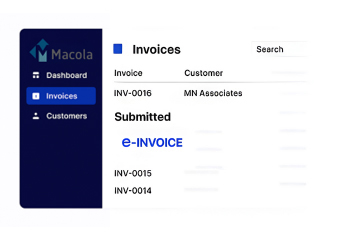
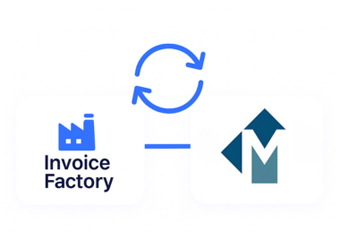
How Does Macola Feed Uganda URA
- Create Sales Records: Macola captures customer orders, products, quantities, pricing, and other commercial information.
- Finalize Billing Details: Completed transactions provide the invoice information required for the next processing stage.
- Extract ERP Information: Advintek receives applicable Macola data according to the configured integration structure.
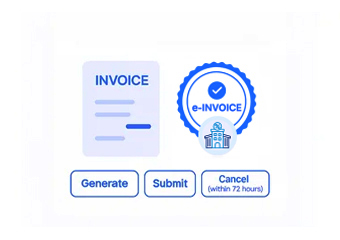
- Prepare Fiscal Records: Relevant invoice details are organized for the Uganda electronic invoicing workflow.
- Submit Eligible Transactions: Advintek connects applicable invoice information with the EFRIS processing environment.
- Record Fiscal Responses: Returned fiscal information can be associated with the corresponding Macola transaction records.
Why Pair Advintek With Macola
Advintek provides Macola with a dedicated fiscal connection, helping businesses coordinate established ERP transactions with Uganda EFRIS invoicing requirements.
- Extend Macola into electronic fiscal invoicing.
- Connect sales information with EFRIS.
- Simplify invoice data preparation.
- Improve access to fiscal records.
What Macola Processes Can Support EFRIS
- Order-Based Invoicing: Use relevant customer order information from Macola as the starting point for accurate electronic invoice preparation and fiscal processing.
- Accounts Receivable Coordination: Connect invoice-related financial records with the fiscal processing workflow through Advintek for consistent transaction handling.
- Product Information Reuse: Apply applicable item information already maintained within Macola when preparing complete fiscal invoice records for submission.
- Customer Data Utilization: Use established customer records to support consistent and accurate invoice information throughout the connected processing workflow.
- Inventory Transaction Support: Coordinate relevant stock and sales information when transactions generate applicable customer invoices for fiscal processing.
- Financial Record Association: Link returned fiscal information with the business transactions maintained inside the ERP environment for easier review and reconciliation.
Everything You Need for Uganda E-Invoicing in One Place
Live Validation Insights
Connect relevant Macola accounting and invoice records with Advintek’s Uganda fiscal processing layer.
Centralized Monitoring View
Transfer applicable customer and sales information into the configured electronic invoicing workflow.
Continuous Compliance
Receive relevant processing responses through Advintek for continued invoice record management.
How Can Macola Assist Uganda EFRIS Compliance
Macola manages business transactions and financial records, while Advintek connects applicable invoice information with Uganda’s EFRIS fiscal processing framework.
- Prepare Macola invoices for fiscal processing.
- Transfer selected ERP data through Advintek.
- Associate returned fiscal information with records.
- Support structured Uganda e-invoicing operations.
Compliance Should Fit ERP Workflows
Connect Macola with Advintek for structured EFRIS invoice processing across your ERP workflows.
Connect Macola records with Uganda EFRIS workflows.
Ready e-Invoice System
Frequently Asked Questions Macola ERP E-Invoicing Uganda
Can Macola support invoicing when products have different tax treatments?
Macola can maintain product and transaction information that forms part of invoice preparation. Through Advintek, applicable tax and item information can enter the configured fiscal workflow. This helps businesses handle invoice records consistently when transactions involve different products, services, or applicable tax details.
What happens when an invoice needs correction before fiscal processing?
The underlying transaction can be reviewed within the established Macola workflow before applicable information is sent through the fiscal connection. Advintek then works with the corrected invoice data according to the configured process. This provides businesses with a controlled approach to managing changes before fiscal processing.
Can Macola support invoices generated from recurring business activities?
Where recurring sales or billing activities are managed within Macola, applicable invoice information can be connected to Advintek for fiscal processing. The integration provides a defined pathway for relevant records, allowing businesses to coordinate routine invoice generation with their Uganda electronic invoicing workflow.
How does the Macola connection help maintain invoice traceability?
The integration can associate fiscal processing information with the corresponding ERP transaction, creating stronger continuity between the original business record and its fiscal details. This gives finance personnel a clearer reference point when reviewing invoice history, checking transaction information, or following up on processed fiscal records.
Can businesses use Macola for both operational and fiscal record management?
Macola can continue supporting core operational and financial activities while Advintek provides the dedicated fiscal connection. This separation allows businesses to preserve their established ERP processes and introduce Uganda EFRIS processing through an additional integration layer designed to connect applicable invoice transactions with the electronic fiscal environment.